
Quick Answer
Use a correction-first process for color grading videos: normalize log footage, lock exposure and white balance, then apply creative look choices and match shots across the sequence. In DaVinci Resolve, Adobe Premiere Pro, or Final Cut Pro, the core logic is the same even when controls differ. Check waveform and vectorscope during each stage, and keep a reference shot so the timeline stays coherent from opening frame to final pickup.
How to handle color grading in phases: correct footage first, then style for client delivery#
For client work, the practical way to handle color is in phases: correct footage first, grade second, then check the whole timeline for consistency. Color decisions need to hold up across the sequence, not just look impressive on one clip.
A lot of fast YouTube training focuses on getting a cinematic result on a single image. Useful, yes, but even beginner lessons in DaVinci Resolve point to the bigger job. Learning to tweak an image is only part of the work. In practice, project work means grading an entire timeline, keeping shots aligned across a sequence, and making choices you can explain and repeat on the next brief.
Resolve is a useful reference point because its Color Page is a common workspace for learning and performing grading operations. Still, the core ideas are not locked to one app. One tutorial source explicitly notes that the same thinking can be applied in other software like Premiere Pro and Final Cut Pro as well. That does not mean the tools are identical. It means the logic transfers, even when controls, layout, or workflow speed differ.
The practical tension is simple. A one-off look can win a thumbnail or a before-and-after post, but client-ready work has to survive the whole timeline. A grade that looks strong on your hero frame can fall apart when you cut to the reverse angle, the interview B roll, or the final pickup shot. That is the failure mode to avoid from the start. Your first checkpoint is not "does this frame look cool?" It is "does this sequence still feel consistent when I play it through?"
So the goal here is not to hand you a bag of LUT tricks and call it done. You will get a practical order of operations, a comparison of DaVinci Resolve, Premiere Pro, and Final Cut Pro for recurring grading tasks, a quality-control checklist for shot matching, and simple pre-review standards you can use before client feedback. If you already know your way around video editing, think of this as the part that turns taste into a dependable service.
By the end, you should have a working method you can apply project-wide: normalize first, grade with intent, verify across shots, and deliver something that looks consistent. That is what makes color work feel professional. For a step-by-step walkthrough, see How to Optimize YouTube Videos for Search as a Business Owner.
Color correction and color grading are not the same job#
For client-ready work, do correction first and grading second.
Color correction fixes technical image problems so the footage is balanced and usable. Color grading is the creative pass, where you shape color and contrast to deliver an intended look. People often use the terms interchangeably, but they do different jobs in post-production, and sequence matters.
If skin tones or neutrals still look unstable on your waveform scope or vectorscope, stop there and finish correction before style work. Do not use a look to hide a balance issue, because it usually creates bigger mismatches on the next cut.
Before creative adjustments, set a reference video so your baseline is intentional instead of whatever "looks good on my monitor" in the moment. If a look works on one hero frame but breaks across the sequence, go back to correction and stabilize the baseline first.
Related: A Motion Designer's Guide to Licensing Music and Sound Effects.
Use this order of operations on every project#
Use a fixed workflow on every edit: balance first, build the look second, then match shots for continuity. A defined order keeps you out of random adjustments that end up fighting each other later.
Start with ingest and normalization#
Before creative decisions, organize footage, group similar camera sources, and separate log material from already-normal video. Then make your first pass about balance, not style. In practice, that means getting the image technically stable first so your look decisions sit on a clean base, not on mixed starting points.
If you use LUTs, apply them deliberately instead of using them as your first judgment tool. In some workflows, input and output LUTs are processed at different points, so confirm your app's order and place them with intent.
Follow a consistent correction-to-look flow#
There is no single universal sequence every colorist uses, but you should keep one stable sequence per project. A practical flow is:
- Exposure
- White balance
- Contrast
- Saturation
- Creative look
- Cross-clip matching
This keeps technical corrections separate from style, so you are not hiding baseline issues with a look.
Use your waveform scope and vectorscope as objective checks during the pass, especially when a shot starts to drift. Your eyes still matter, but scopes help you catch shifts your monitor or fatigue can mask.
Lock consistency before export#
After your base correction and look are approved for a scene, copy that work where it applies, then trim shot by shot for continuity. Copying gives you speed; trimming preserves control across angle and lighting changes.
| Checkpoint | Requirement |
|---|---|
| Log footage | Normalized before look work |
| Similar shots | Stay stable in exposure and white balance |
| Contrast and saturation | Feel controlled, not accidental |
| Creative look | Holds scene to scene |
| Cross-clip matching | Checked in sequence, not only on still frames |
| Scope checks | Do not show unexpected luminance or hue jumps |
Use that table as your done-definition before client review. If one item is not true yet, keep polishing before delivery.
Handle log footage and LUTs without wrecking skin tones#
Treat log conversion as normalization, not style. Start by moving flat, low-contrast, desaturated footage into a natural baseline with believable contrast and saturation, then make creative look decisions.
Log footage gives you more dynamic range and color flexibility, but it is harder to judge before normalization. If you style too early, skin is usually where problems show up first.
Normalize first, then apply the look#
Convert log footage to a normal viewing state, then balance exposure, white balance, contrast, and saturation before you push a look. This correction-first flow works in DaVinci Resolve and in Adobe Premiere Pro.
If skin starts drifting while you adjust contrast or saturation, pause and correct the base. In Resolve, HSL and 3D Qualifiers can help isolate and protect skin tones, but they work best as shot-level refinement, not as a fix for an unstable starting grade.
Use LUTs for direction, not autopilot#
A LUT is useful for fast direction, but it usually needs scene-specific trimming. Different cameras, exposures, and lighting conditions still require adjustments.
Red flags that your LUT or contrast push is too aggressive:
- Clipped highlights on faces or bright practicals
- Crushed shadows that remove texture
- Skin-tone hue shifts after contrast/saturation changes
- Oversaturation that makes the grade feel harsh or dirty
For mixed-camera timelines, normalize each camera family first, then apply a shared creative intent. Forcing one LUT across unmatched sources usually creates shot-to-shot skin tone inconsistency.
Match shots with scopes and references, not eyeballing#
Continuity is the job now: pick one clear reference, decide what you are matching first, and keep every shot inside believable bounds. If you try to match everything at once by eye, you usually create a new mismatch somewhere else.
Use an approved shot from your own timeline as your main anchor. In DaVinci Resolve, reference stills are a practical way to stay in an acceptable range for color and contrast. Some editors also use still libraries like Shotdeck, Filmgrab, or Shotcafe; live streaming content can be a rough visual cue, but not a technical target. Aim for consistency, not perfect duplication.
Keep checking image plus scopes on each cut, in the same order, so eye adaptation does not trick you after a long grading pass. If one clip keeps fighting the look, re-correct that clip before adding more creative adjustments.
Quick match pass#
- First shot: confirm it still works as the anchor after later tweaks.
- Reverse angle: check continuity against the anchor, not memory.
- Cutaway: make sure it still sits naturally between nearby shots.
- Closing shot: verify the ending still feels like the same grade.
If one of these breaks, fix correction first, then return to styling.
Choose the right editor for your grading workload#
Choose the editor that makes your grading decisions easiest to repeat under real client conditions, not the one with the loudest reputation. If grading quality is part of your service, your decision should come from a short test edit using your own footage and brief.
Compare DaVinci Resolve, Adobe Premiere Pro, and Final Cut Pro against the same weekly tasks: normalize footage, read waveform and vectorscope quickly, match adjacent shots, apply a LUT without creating cleanup problems, and carry approved decisions into the next project without guesswork.
| Editor | Scope clarity check | Shot-matching speed check | LUT handling check | Cross-project consistency check |
|---|---|---|---|---|
| DaVinci Resolve | On the same short sequence, can you make confident decisions from waveform and vectorscope without losing momentum? | Match your anchor shot and surrounding cuts, then note where rework starts. | Apply one LUT, rebalance, and check whether the result stays controllable. | Save approved corrections and test whether you can reproduce the look in a new project. |
| Adobe Premiere Pro | Run the same sequence and confirm scope reading stays practical for decision-making. | Repeat the same match pass and track where manual fixes accumulate. | Apply the same LUT workflow and check whether adjustments stay manageable. | Reopen later and verify approved choices are easy to trace and reuse. |
| Final Cut Pro | Use the same anchor shot and confirm luminance and hue checks remain clear while grading. | Run the same continuity pass and identify where drift appears. | Test LUT use on the same footage and see whether correction remains predictable. | Build a second project from the same brief and check if the look is repeatable. |
Use a short test edit, not a software debate#
A short test edit will tell you more than a software debate before full commitment. Use the kind of work you actually sell; if your workload ranges from a 60-second demo vs. 5-minute explainer, test both so you can see how process friction changes with timeline length.
Before testing, lock two basics: a Project Brief and a Tool List. Your brief should clarify scope, style, and audience, and a storyboard, script, or mood board is enough. Your tool list should name the software expected for the project.
Choose for fewer approval rounds#
The business question is straightforward: which tool reduces avoidable rework in video editing and shortens approval rounds in post-production? Vague briefs, vague deadlines, and underestimated complexity tend to create revision loops, so judge each editor by how clearly it supports your workflow, communication, and repeatability.
Pick the editor that lets you make clean decisions, explain them, and reproduce them with less friction on the next project.
Build a client review and handoff checklist#
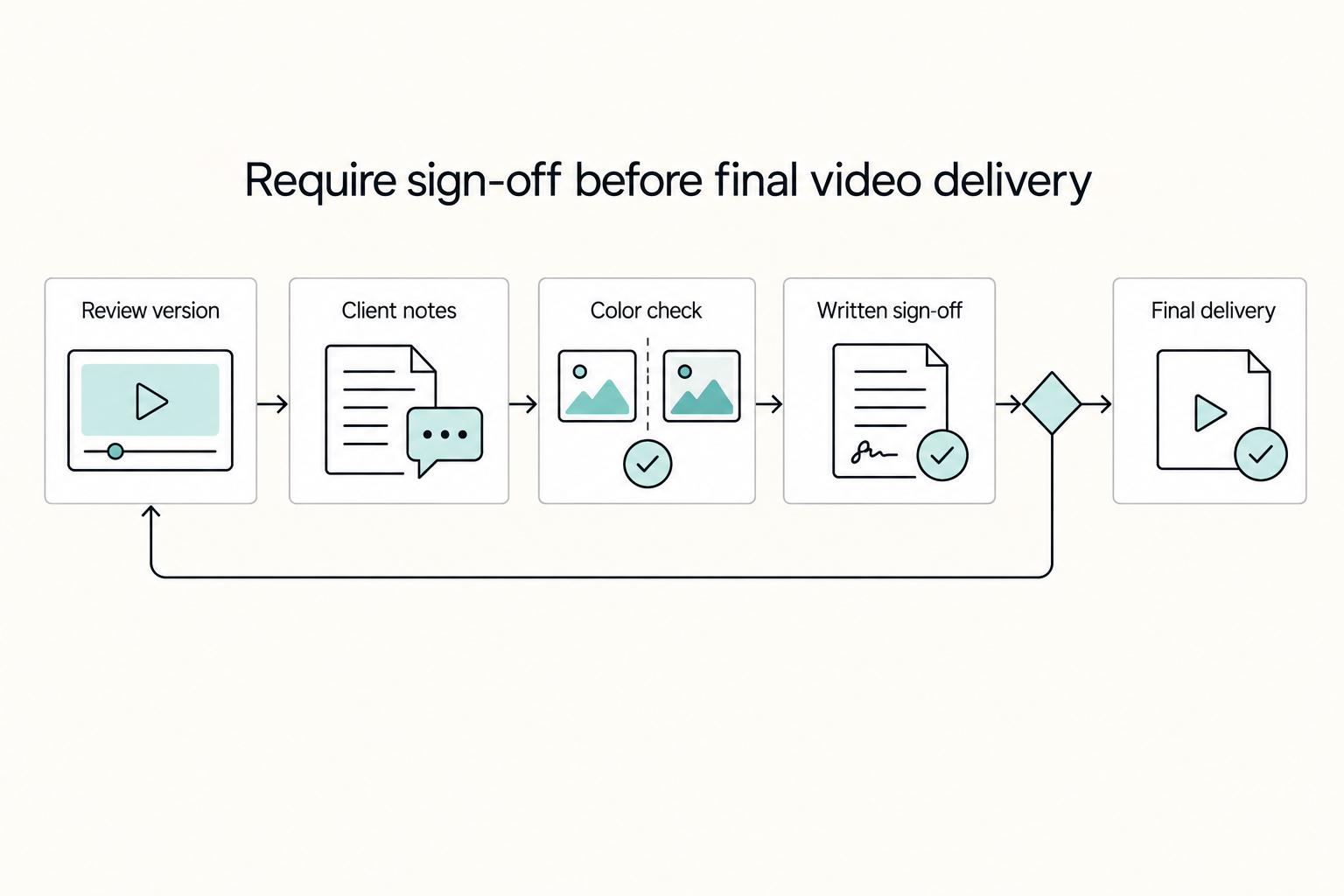
Treat final delivery as a separate stage, and require written sign-off before you call a video final. That keeps review decisions clear, traceable, and easier to approve without backtracking.
Lock the pre review artifact#
Before review, package the grade context in one place and send it with the review link or in the same project folder.
| Artifact | What it captures | Check before sending |
|---|---|---|
| Baseline stills | Your neutral or corrected starting point | Use approved anchor shots, not random frames |
| Approved reference video | The intended direction for contrast, skin, and look intensity | Confirm it is the current approved reference |
| LUT or look-intensity notes | How the look was applied | Note whether a LUT was used, where it entered the process, and whether intensity was adjusted |
For repeat clients, keep these artifacts in consistent folder structures and naming conventions so future projects start from an approved baseline.
Define handoff standards in writing#
State the handoff standards in plain language:
- The exact export settings approved for this project
- Revision boundaries, including what is a color adjustment versus a new creative direction, and where feedback must be submitted
- What "color-consistent" means across the timeline, for example stable skin tones, retained highlight detail, and no unintended jumps between adjacent cuts
If another editor or colorist touches the project, keep transfer files organized and traceable with clear version labels and cloud delivery records.
Run the last quality control pass#
Double-check the export before delivery. Scrub common drift points such as interview to B-roll, reverse angles, cutaways, and closing shots, and verify:
- Skin tone consistency for the same subject across shots
- Highlight retention in bright areas
- No abrupt saturation jumps between adjacent cuts unless intentional
If one shot breaks continuity, fix that shot first, then rerun the check. After approval, back up the final package with the 3-2-1 rule so the delivered version stays recoverable.
Fix common grading failures before the client sees them#
Most grading failures before client review come from fundamentals, not creativity: skipped correction, inconsistent workflow, and over-reliance on LUTs or plugins. If a sequence looks colorful but still wrong, go back to color correction first and rebuild from a clean base.
Strip back the look before adding more#
If the image starts to feel garish, disable your creative look stack and check whether the base clip still works for exposure and balance. If it does not, correct that clip first, then reapply only the adjustments that clearly improve it. Avoid trying to solve lighting problems with heavier grading, because that usually makes the issue more obvious.
Treat copied grades as a starting point, not a finish#
Copy/paste can speed up a timeline, but it does not guarantee shot-to-shot consistency. Run a dedicated continuity pass in your editor, including DaVinci Resolve or Final Cut Pro, and fix the outlier clip directly instead of forcing the whole sequence to match a bad shot. This keeps the grade repeatable and reduces late surprises.
Do a final red-flag sweep before export#
Before export, run one last pass focused on obvious misses: images that suddenly feel overcooked, clips that drift away from the established look, or changes that break continuity. This quick check catches the issues clients notice first.
Conclusion#
Good color grading rarely comes from a secret LUT or a flashy one-off trick. The professional difference is usually simpler: correct first, grade second, and hand off work that is consistent from first shot to last.
That matters because grading is not only about style. It is the stage where you enhance and adjust color to create a specific look and mood, but it also has to maintain visual consistency across the piece. If exposure, white balance, and contrast are stable before the creative pass, the final look has a much better chance of feeling intentional instead of accidental. If they are not stable, every creative move after that tends to magnify the problem.
For most client work, your best rule is simple: treat order as non-negotiable. Start with basic color correction, because that is where white balance and exposure problems get fixed. Then build the look. Then do a dedicated match pass across the timeline. The verification step is straightforward: review after each stage, then do one last continuity sweep across key shots from beginning to end.
One failure mode is mistaking speed for control. You paste a look across the timeline, it feels close enough, and only later notice mismatches between adjacent cuts. The practical fix is to keep a small evidence pack with the project: one approved reference still or reference video, notes on any LUT strength or look choices, and your final checklist. That gives you something concrete to return to when a revision note is vague or a shot starts fighting the grade.
If you want one useful next step, do not wait for the next shoot. Take a recent client edit and run this exact process on it from start to finish. Save your checklist as a reusable SOP, then refine it after the project while the mistakes are still fresh. That habit often improves consistency more reliably than chasing another cinematic preset.
If you are tightening the rest of your post-production decisions too, the next helpful read is The Best Video Editing Software for Freelancers. If delivery work often overlaps with soundtrack choices, your licensing guides in the content hub are the right companion reading. Related reading: A creator's guide to writing a 'Media Kit'.
Frequently Asked Questions
What is the difference between color correction and color grading?
Color correction is the technical step. You fix exposure, temperature, and obvious color shifts so the image looks natural and consistent. Color grading comes after that and shapes the mood, tone, and atmosphere. If skin tones or neutrals still drift shot to shot, finish correction first before pushing a creative look.
What order should I follow when color grading videos?
Use a consistent order of operations, then adapt it to the project. A common flow is correction first (exposure, white balance, and overall balance), then creative grading, then shot matching. A defined order matters because it keeps decisions from fighting each other and helps the process run efficiently.
How do I color grade log footage without making it look unnatural?
Treat log footage as footage that should be normalized before heavy styling. If you try to push it into shape with only contrast and saturation, you can introduce color-accuracy and luminance problems. Get the image looking natural and balanced first, then adjust any creative look or LUT intensity.
Do I need LUTs to get a cinematic look?
No. A LUT can be a useful starting point, especially with log footage, but it is not required. If a LUT is pushed too hard and then stacked with extra contrast and saturation, accuracy can suffer.
How do I match clips from different cameras in one timeline?
Start by correcting clips so they look natural and consistent, then apply the shared creative look. Keeping a clear order of operations makes matching decisions easier to manage and adjust.
What is the fastest beginner method in DaVinci Resolve that still looks professional?
There is no single proven fastest method for every beginner, but a fast approach in DaVinci Resolve is a repeatable base pass. Build one solid baseline, reuse it so you do not repeat the same process over and over, then fine-tune each clip and do a final continuity sweep across the timeline.
Try a related tool
Researched and edited by the Gruv editorial team. Gruv builds cross-border billing, payouts, and finance-operations software for global businesses.
Sources
Includes 5 external sources outside the trusted-domain allowlist.
- brookings.edu/articles/how-artificial-intelligence-is-tran...trusted
- pmc.ncbi.nlm.nih.gov/articles/PMC10642507trusted
- sccnc.edu/wp-content/uploads/2025/05/2018-2019-Catalog...trusted
- acubedproductions.com/2023/07/the-importance-of-color-grading-in-v...external
- colourlab.aiexternal
- liftgammagain.com/forum/index.phpexternal
- noamkroll.com/the-best-order-of-operations-for-color-gradi...external
- sproutvideo.com/blog/davinci-resolve-for-beginners-video-edi...external
Educational content only. Not legal, tax, or financial advice.
Related Posts

The Best Video Editing Software for Freelancers
**Choose the best video editing software based on the workflow you can repeat under pressure, not the tool that looks most impressive on YouTube.** You are the CEO of a business-of-one, and your editor is part of your delivery infrastructure. When a client changes scope, sends a new batch of footage, or asks for "one more revision," your editor stops being a creative playground and becomes a system you either trust or fight.
Music Licensing for Video Projects Without Scope Mistakes
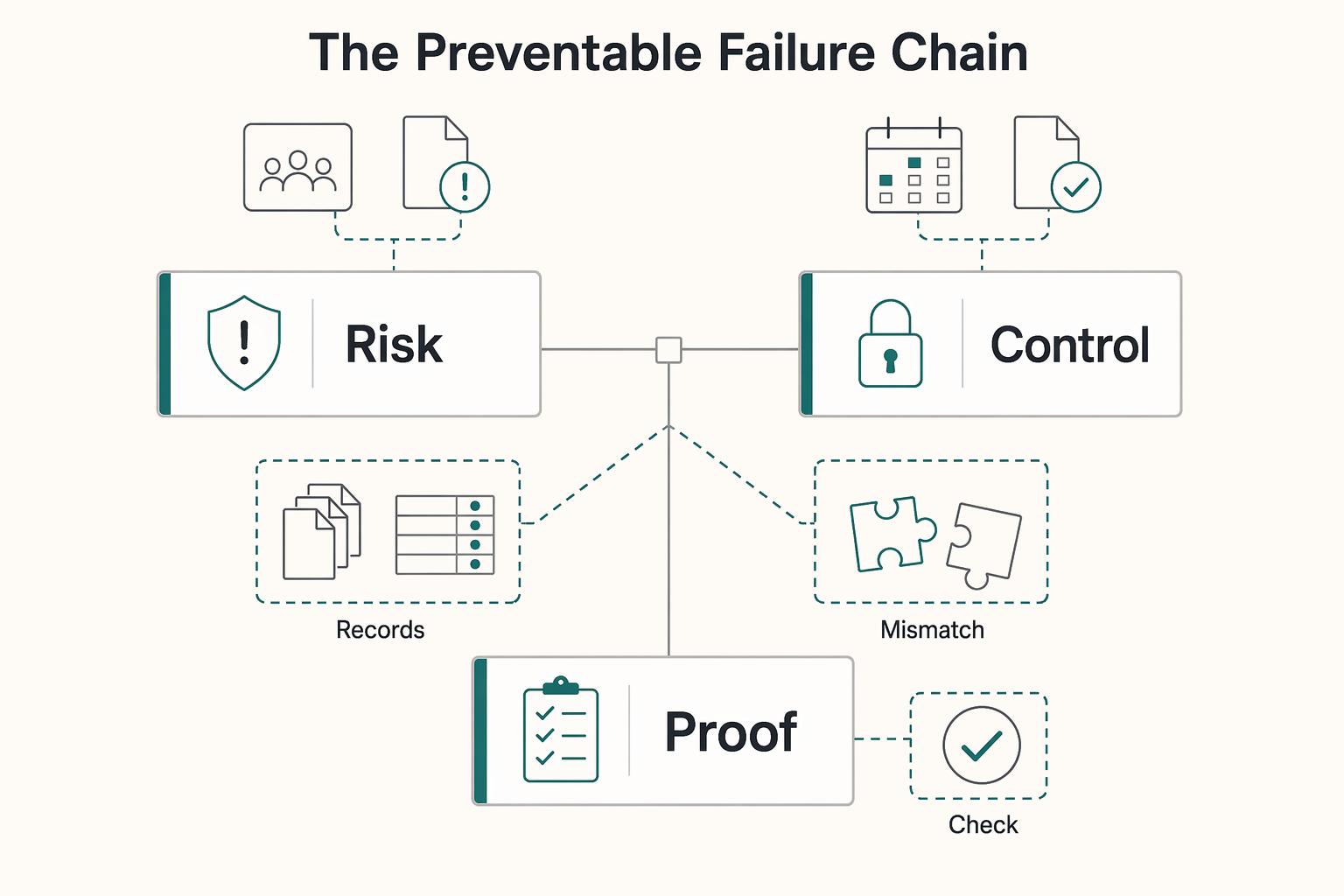
On a client project, you are not just choosing background music. You are managing delivery risk and legal risk. For **music licensing for video**, start with three checks: what your Statement of Work (SOW) says, who the license holder of record is, and whether the license actually covers this project's use.
A Motion Designer's Guide to Licensing Music and Sound Effects
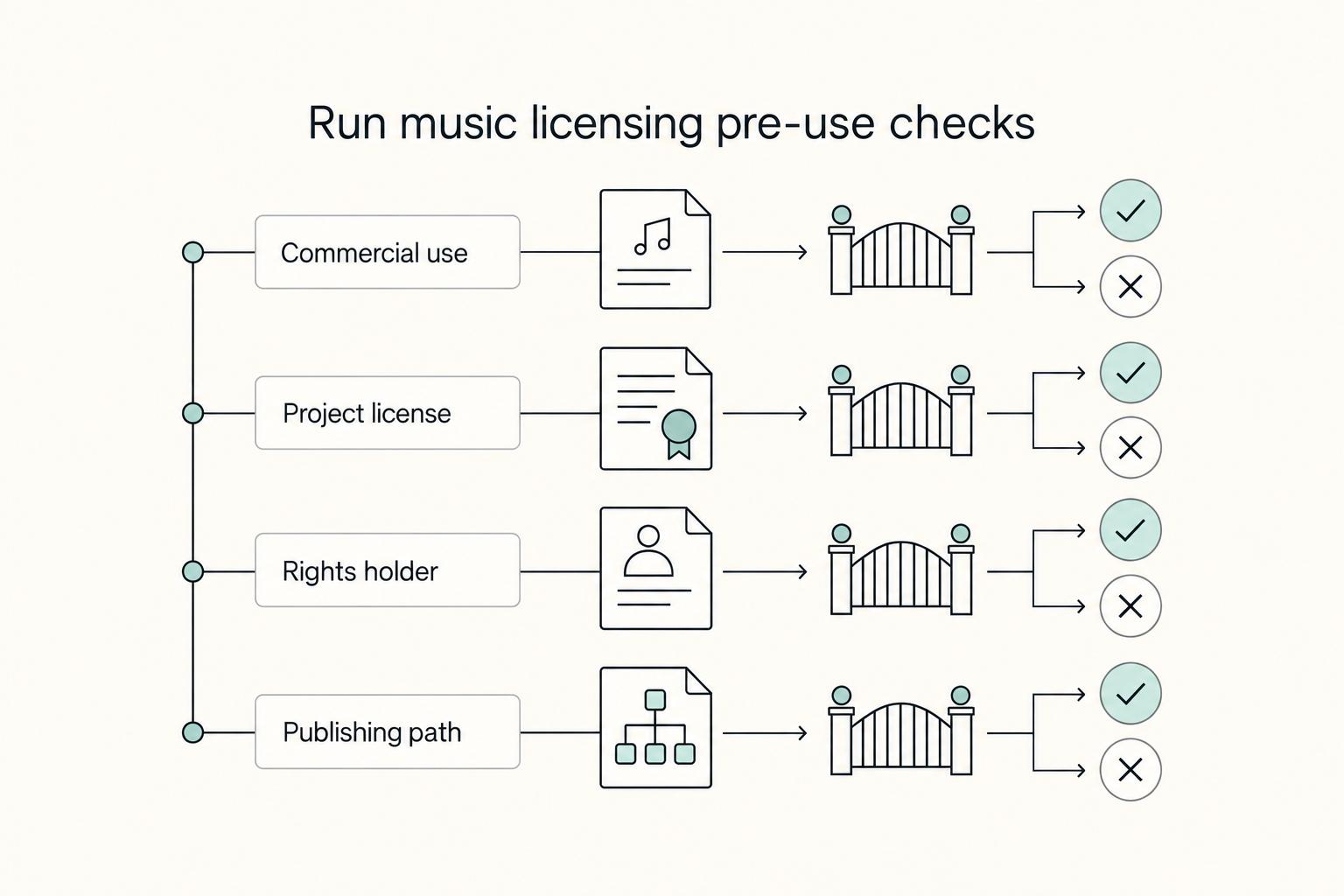
When you pick music or SFX for client work, you are making a rights and delivery decision as much as a creative one. In motion design, a strong track is unusable if you cannot show permission for that exact asset in that exact project.