
Quick Answer
Start by unplugging and counting every line under your desk, then group cables into power, display, and peripherals before you buy anything. In the article’s example, a setup that looked simple still had seven plugs underneath. From there, run a reversible no-drill install with one under-desk tray, then do a second pass for labels and slack. If you use a standing desk, finish with a full up/down movement test while everything is connected.
Start Here and Set the Outcome#
A good home office cable setup should do three things at once: look client-ready, stay easy to troubleshoot, and stay easy to change. For this guide, one practical starting path is a reversible, no-drill setup so you can clean things up before making permanent changes.
Keep the scope tight. This is about desk cables in a home office: how they travel, where they sit, and how you maintain them after the first cleanup. It is not a shopping roundup, and it is not a race to buy more accessories. Under-desk cable management matters because cluttered wiring can disrupt focus, create safety risks, and make basic tasks more frustrating than they need to be.
What good looks like#
You do not need a showroom desk. You need a setup that passes three practical tests and still works when your hardware changes:
- fewer cords visible on camera or hanging around the desk edge
- a clear path to trace power, display, and peripheral cables when something fails
- small device swaps without tearing apart the whole underside of the desk
That last point matters more than most people expect. If replacing a charger or adding a dock means unwrapping one giant knot, the setup may look tidy but it is not working well. If you clean only for appearance, the first hardware change can force a rebuild.
Start with inventory, not accessories#
Before you mount, clip, or bundle anything, do a pre-install inventory. Unplug everything and lay it out so you can count it. That is your first verification checkpoint because it shows what the desk is actually carrying instead of what you think is there. In one documented home office example, a setup that looked simple from above still had seven plugs to manage underneath.
Make a short note of each connection by group: power, display, and peripherals. If you want one habit that pays off later, this is it. Grouping cables from the start can make it easier to trace a dead monitor lead or replace a webcam without disturbing the rest of the desk.
Who this guide is for#
This advice is for independent professionals whose workspace needs to hold up week after week. If you spend time on video calls, send invoices from the same desk where you charge devices, or need your setup to work every morning without fiddling, you are the right reader. The standard is higher when your desk is part of how clients see your business.
The recommendation is simple: start reversible, prove the routing, then refine. If a no-drill setup keeps the desk cleaner and easier to update, stay there. If your first pass mainly improves visibility and makes future changes easier, that is already a win worth keeping. For a step-by-step walkthrough, see How to Create a Distraction-Free Home Office That Actually Holds Focus.
Build the Right Mental Model Before You Buy Anything#
Before you buy anything, define the system first: route, contain, and serviceability. If an accessory does not clearly fit one of those jobs, it is probably not solving the real problem. This matters even more on a standing desk, where the design gives you less built-in cable concealment.
| Part | Purpose | Grounded details |
|---|---|---|
| Route | Set the cable paths under the desk frame first | Use separate lanes for power, display, and peripherals |
| Contain | Control slack and reduce visual clutter | Use an under-desk cable management tray, cable sleeve, or wire organizer |
| Serviceability | Keep the setup easy to change | Change one device or cable group without tearing everything down |
- Route: set the cable paths under the desk frame first, with separate lanes for power, display, and peripherals.
- Contain: use an under-desk cable management tray, cable sleeve, or wire organizer to control slack and reduce visual clutter.
- Serviceability: set things up so you can change one device or cable group without tearing everything down.
Keep "looks clean" separate from "runs clean." A hidden tangle can still slow troubleshooting and make simple swaps harder than they should be. Use one naming scheme now, and keep it consistent in labels and notes: power, display, peripherals.
You can borrow ideas from r/DeskCableManagement and "Ultimate Cable Management Guide" style posts, but use stricter checkpoints for a working desk: clear routes, controlled containment, and easy updates. Related: The Best Ergonomic Gear for Your Remote Work Setup.
Pick No-Drill or Fixed Mount Based on Your Desk and Risk Tolerance#
Choose your mount strategy by reversibility first: use no-drill options when you want easy removal, and use fixed mounting only when permanent modification is allowed and you accept that it is harder to undo later.
For this section, keep one guardrail in mind: there is no comparative testing here for clamp mounts vs fixed mounts, standing-desk movement outcomes, or frame-fit thresholds. Use this as a decision framework, not a proven performance ranking.
| Option | What you can use right now | What is not established |
|---|---|---|
| Under-desk cable management tray | A containment option to evaluate against your desk shape and cable load | No grounded side-by-side evidence on install effort, changeability, or failure risk vs other options |
| Adhesive cable clip | The marketplace category "Cable holders with 3m adhesive" is crowded (413 products available), and one featured listing shows MOQ: 100 with 1000pcs/bag 12bags/box (listed at $4.09) | Availability and bulk listing details are not proof of safety, durability, or long-term reliability on your desk surface |
| Cable sleeve | Another containment option to test for your own routing and serviceability needs | No grounded comparison data vs trays or clips on longevity or risk |
If your desk moves often, run it through full travel before final tidy-up and check whether any cable path starts pulling, snagging, or shifting. If your desk frame has a shallow lip or unusual geometry, avoid bulk buying first and test-fit one unit before committing.
A practical way to stay low-risk is to validate fit and retention on your actual desk before optimizing for appearance.
Build a Buy List That Matches Your Actual Load#
Build your buy list from your real device map and measured cable runs, not from product photos alone. This keeps your accessory choices tied to how your desk actually works day to day.
Start by listing each device and where it lives on your desk. Separate cables into permanent and temporary so you do not overbuild for cables you move often or underplan for cables that stay in place.
Use a simple pre-buy checklist before comparing products:
- device name and desk location
- adapter/brick needed (
yes/no) - cable count by type: power, display, data, charging
- permanent or temporary cable
- expected add-ons in the next year (for example: second monitor, dock, webcam, monitor arm, power rail, monitor light bar)
Then measure these three runs on your current setup: outlet to desk, desk to monitor, and dock to laptop. These measurements help reduce port tension and unnecessary slack.
| Listing source | Useful inputs from the page | What you still need to verify on your desk |
|---|---|---|
| Amazon listing | dimensions, underside photos, mounting diagrams, return terms | desktop thickness, frame clearance, and whether your route crosses clamp points or moving joints |
| Other marketplace listings | install photos, tray access shown after install, cable-entry visuals | whether your power bricks fit without crowding and whether temporary cables stay reachable |
Use brand pages like Humanscale NeatTech or Desky to frame your checklist, not to assume fit. Use roundup posts the same way: one BTOD roundup explicitly says it may earn commission, so treat it as idea input, not compatibility proof.
Before ordering, lay a tape measure or spare cord along each planned path and mark where adapters will sit. If a monitor arm or power rail changes cable drop points, account for that now and verify frame clearance before you buy.
Install in One Session Without Rework#
For a one-session install that stays easy to maintain, start with a full reset, prioritize function first, and only do the cosmetic tidy at the end.
Cable management is not just about looks. A clean setup supports focus, movement, and equipment safety, so treat this as an operating setup task, not a styling task. Start by clearing the desk completely so you can rebuild the cable paths from scratch.
Use a simple install sequence#
| Step | Action | Checkpoint |
|---|---|---|
| 1 | Do a dry layout first | Set tray position, adapters, and main cable paths before mounting anything |
| 2 | Mount the under-desk cable management tray | Start mounting after the dry layout |
| 3 | Route the bulkier power runs first | Then route data and peripheral runs |
| 4 | Add strain relief | Add it where cables drop or move |
| 5 | Do the final tidy pass | Only after everything is connected and working |
- Do a dry layout first (tray position, adapters, and main cable paths) before mounting anything.
- Mount the under-desk cable management tray.
- Route the bulkier power runs first, then route data and peripheral runs.
- Add strain relief where cables drop or move.
- Do the final tidy pass only after everything is connected and working.
If the tray starts to feel crowded, do not force everything into one point. Keep permanent, heavier runs in the tray and move a separate bundle into a cable sleeve where needed.
Run two passes instead of one#
- Pass 1: Get visible clutter under control and confirm every device works.
- Pass 2: Stabilize the setup with slack cleanup, basic labels, and small service loops for cables you may unplug later.
Keep one service lane accessible#
Leave one route easy to update, especially for devices you swap often. Adhesive cable clip placement works best when it guides that service lane instead of locking down every cable path.
If you use a standing desk, do a full up/down movement check before finishing so you can catch tension or snag points early.
Related reading: A Real Estate Agent's Guide to the Home Office Deduction.
Validate Safety and Reliability Before You Call It Done#
A cable setup is only done when it works reliably in daily use, not just when it looks tidy.
Run a quick post-install check in real working conditions:
- Start from fully off, then power everything on.
- Check webcam, mic, monitor signal, and each charger you rely on.
- Sleep and wake once to catch flaky display or dock connections.
- If you use a standing desk, raise and lower it fully while everything is connected.
Then inspect the hidden side before you close it up:
- Avoid overpacking trays or wire organizers. Tangled or exposed cords are associated with overheating or short-circuit risk.
- Leave breathing room around adapters and power bricks instead of compressing them together.
- Watch for sharp bends at charger, dock, or monitor entry points.
- Fix loose floor drops, since unmanaged cables can become tripping hazards and can damage equipment if snagged.
Add labels now so maintenance stays simple later. Mark both ends of each cable, or use color-coded ties by cable type, so future troubleshooting does not turn into guesswork.
Before permanent mounts or hard-to-reverse fixes, confirm what is allowed in your space, especially if rental or building rules apply.
Keep reliability with a simple cadence:
- Monthly: quick visual scan for loose drops, pinch points, and new trip risks.
- Quarterly: retighten, relabel unclear lines, and remove dead cables.
- After any new hardware: rerun the full check.
For the wider desk setup, see How to Organize Your Desk for Maximum Productivity.
Keep It Modular as Your Business Adds Devices#
Treat modularity as an operating rule, not a technical spec. In the available source material, "modular" is presented as a product theme (for example, "Modular Cable Organizer Sets" and office furniture with "7 Layout Options"), not as proven home-office cable-routing standards.
Use a simple maintenance rhythm: when you add a device, do a quick layout review before you close everything back up. The goal is to confirm the new line fits your current path cleanly and still leaves room for the next change.
A short review is enough:
- Confirm the hidden path still feels editable, not packed.
- Check that connectors are not forced into tight angles.
- Keep one accessible lane for swaps and troubleshooting.
- Note what you added, where it runs, and why.
As your setup grows, keep the system easy to rework instead of optimized for a single moment in time. If a new item only fits by forcing the route, reopen and regroup now so later changes stay predictable.
Mistakes That Cause Rebuilds and How to Avoid Them#
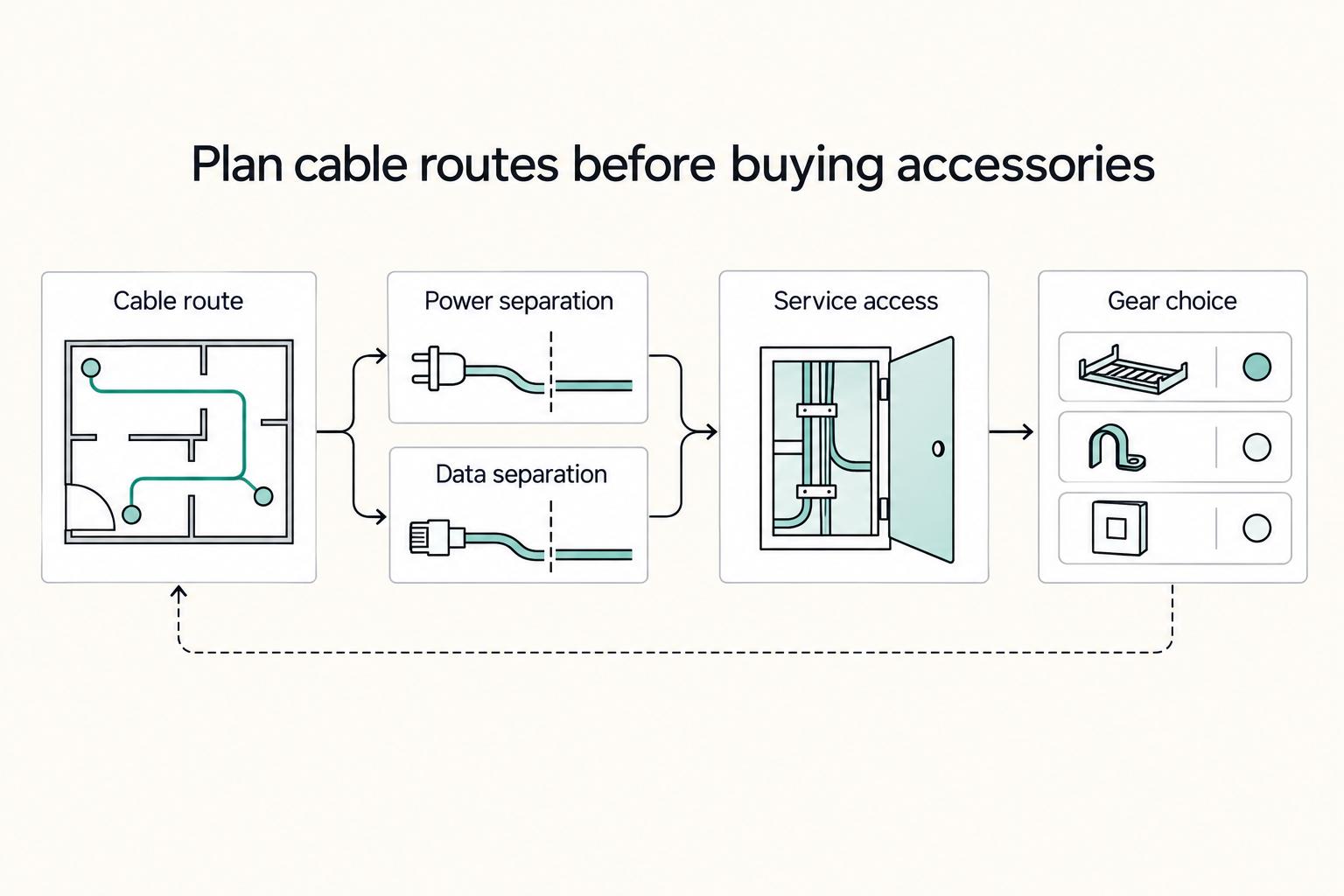
Rebuilds usually start when product shopping comes before route planning. Set your pathway, separation (power vs. data), and service access first, then choose gear that fits that plan.
| Mistake | How to avoid it |
|---|---|
| Buying by ratings or looks before mapping the desk path | Do a quick under-desk route check first so cords stay off the floor and power/data runs are planned, then buy |
| Letting small accessories become the whole system | Use clips as support, but keep a clear main path and containment as the core structure; if you use ties or fixing devices, use options listed for electrical installations under UL 62275 |
| Copying polished WFH layouts exactly | Treat inspiration pages, including updated gear guides like WIRED's June 2025 update, as visual ideas, then adapt the layout to your actual cable load and desk movement |
| Optimizing only for appearance | Prioritize serviceability: trace a line, swap a device, and troubleshoot quickly; keep labeling and install notes current, and verify against NEC 2023 and OSHA basics |
- Mistake: Buying by ratings or looks before mapping the desk path.
Avoid it: Do a quick under-desk route check first so cords stay off the floor and power/data runs are planned, then buy.
- Mistake: Letting small accessories become the whole system.
Avoid it: Use clips as support, but keep a clear main path and containment as the core structure. If you use ties or fixing devices, use options listed for electrical installations under UL 62275.
- Mistake: Copying polished WFH layouts exactly.
Avoid it: Treat inspiration pages (including updated gear guides like WIRED's June 2025 update) as visual ideas, then adapt the layout to your actual cable load and desk movement.
- Mistake: Optimizing only for appearance.
Avoid it: Prioritize serviceability: you should be able to trace a line, swap a device, and troubleshoot quickly. Keep labeling and install notes current, and verify against NEC 2023 and OSHA basics.
Wrap Up and Take the Next Step#
A professional cable-management result comes from clear decisions and checkpoints, not from buying more accessories.
Start with your pre-buy compatibility checklist, then choose your install method. Confirm where power runs, where data runs, where excess length lives, and how you will access one cable later without opening everything. Include your real cable and adapter load so you do not overfill your main containment point on day one.
Then schedule two sessions instead of forcing a one-and-done setup. Use one focused install session for routing and containment, and a short stabilization pass a few days later after normal calls and charging expose what shifts or snags.
Before you call it done, run this final check:
- Clean video-call background and clear floor path with no trip-hazard cable run.
- No movement snags, tension, or rubbing during normal desk use.
- One labeled service lane for fast swaps.
- A short written update path so future changes stay controlled.
Keep labels and notes with your desk setup records so maintenance stays easy. If you later add a second workstation, treat it as a fresh review, since combined cable and power demand can quickly exceed what a standard household setup is designed to handle.
Frequently Asked Questions
What is the fastest way to improve cable management in a home office today?
Start by removing cables you do not need, then get the remaining ones off the floor and out of your foot path. A cable sleeve is a quick win for the most visible run, and switching a keyboard or mouse to a wireless setup can cut visible clutter. If one change does not reduce trip hazards or visible sprawl, treat it as optional rather than essential.
Do I need to drill holes, or is a clamp-based no-drill setup enough?
A no-drill setup can be a practical place to start because it is reversible and lets you test your route before making permanent changes. It is not automatically enough for every desk, so judge it by whether the cables stay contained during normal use and remain easy to reach for updates. If the route shifts, sags, or interferes with the desk, rethink the method before you commit.
What should I buy first if my budget is limited?
Buy the item that solves your biggest problem first. If the issue is visible cord clutter, start with a cable sleeve. If the issue is cables near your feet, start with one organizer that lifts and contains the main run. Add labels early, because labeled cables are easier to identify during maintenance and upgrades.
Which is better for my desk: tray, sleeve, clips, or a combination?
A combination can work well when one product does not solve everything. Use a tray or under-desk organizer for excess length and adapters, a sleeve for the visible drop, and clips to keep one or two light cables from drifting. If clips become the whole route, maintenance can get harder later.
How do I keep cables easy to update when I add devices later?
Leave a little accessible slack and keep one reachable path for future swaps instead of binding everything into one tight bundle. Label both ends of each cable the first time, not after you forget what goes where. If you add a dock, charger, or second monitor, review the route right away so one new device does not turn into a full rebuild.
What changes if I use a standing desk instead of a fixed desk?
Movement can add cable-routing stress. Route with the desk at more than one position, then run a full up-and-down test and watch for tension, snagging, or cables rubbing against the frame. If anything pulls tight during travel, fix that before you tidy the appearance.
How do I verify the setup is safe and not just visually tidy?
Check three things: no trip hazards, no obvious cable wear risk, and no mystery cords. Protected cables are less likely to be damaged, so look for spots where a cord is pinched, dragged, or sharply bent. Make sure you can identify each labeled cable quickly during maintenance, because a clean-looking setup that you cannot trace is still a bad one.
Try a related tool
Researched and edited by the Gruv editorial team. Gruv builds cross-border billing, payouts, and finance-operations software for global businesses.
Sources
Includes 7 external sources outside the trusted-domain allowlist.
- tsa.gov/sites/default/files/checkpoint-requirements-...trusted
- arielle.com.au/standing-desk-cable-management-tipsexternal
- blitzsystems.com.au/blogs/news/common-problems-in-cable-manageme...external
- blog.midfix.co.uk/7-common-mistakes-to-avoid-with-cable-manage...external
- branchfurniture.com/blogs/turn-key/cable-management-ideasexternal
- btod.com/blog/tangled-wires-top-cable-managementexternal
- cableorganizer.com/blogs/articles/10-simple-cable-organization-...external
- desky.com/blogs/news/how-to-organise-cables-under-deskexternal
Educational content only. Not legal, tax, or financial advice.
Related Posts
How to Manage Your Time Effectively as a Freelancer
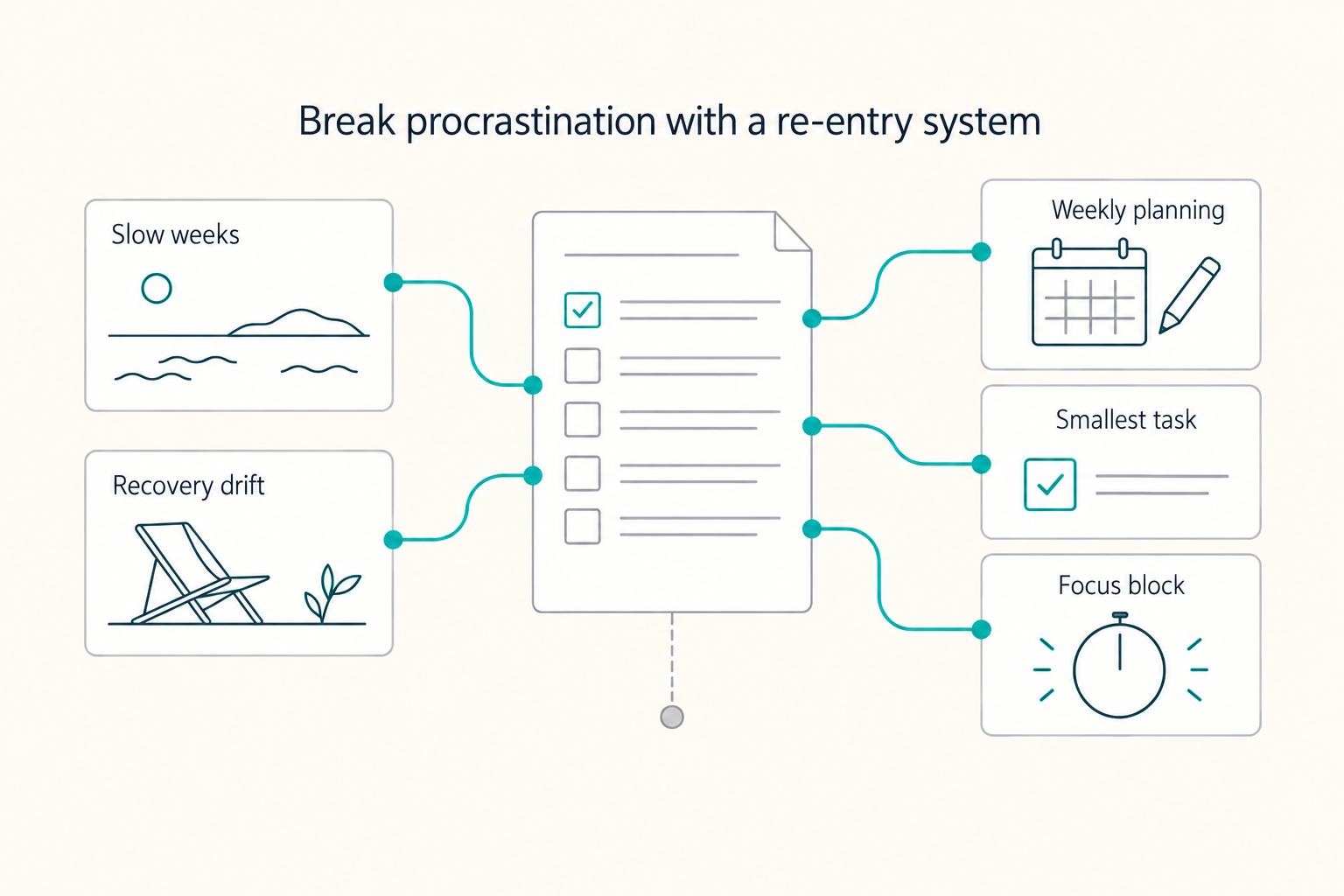
Most freelancers struggle not because they work too few hours, but because they misallocate the hours they have—treating time as an infinite resource rather than a finite business asset with a real cost per unit. The solution is a three-layer operating system: a Time Budget Framework that commits hours to four categories before any client work is booked, a Weekly Operating Template that assigns those categories to specific calendar windows, and a monthly Admin Audit Checklist that reconciles invoicing, bookkeeping, and compliance records. Multi-client orchestration requires a WIP limit, dedicated client windows, and a capacity decision rule run before accepting new engagements. Together, these systems replace reactive decision-making with a repeatable structure that keeps delivery quality consistent, records audit-ready, and the freelance practice operationally durable.
The Best Ergonomic Gear for Your Remote Work Setup
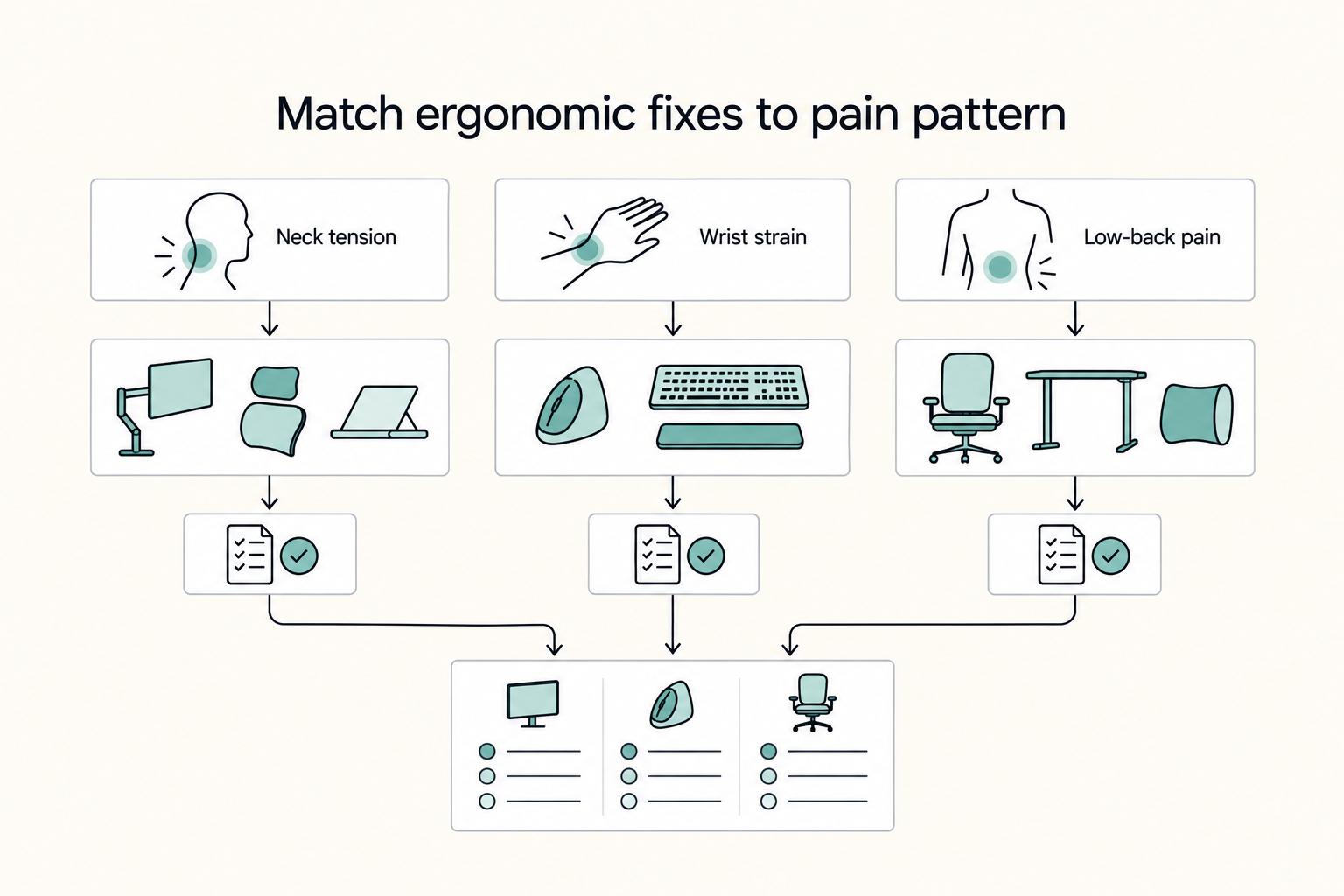
**Treat your ergonomic remote work setup as operating infrastructure, not a comfort splurge.** When posture breaks down, delivery quality and scheduling usually break down right after. Start by setting a baseline that protects your body and your business before you compare products.
How to Organize Your Desk for Maximum Productivity
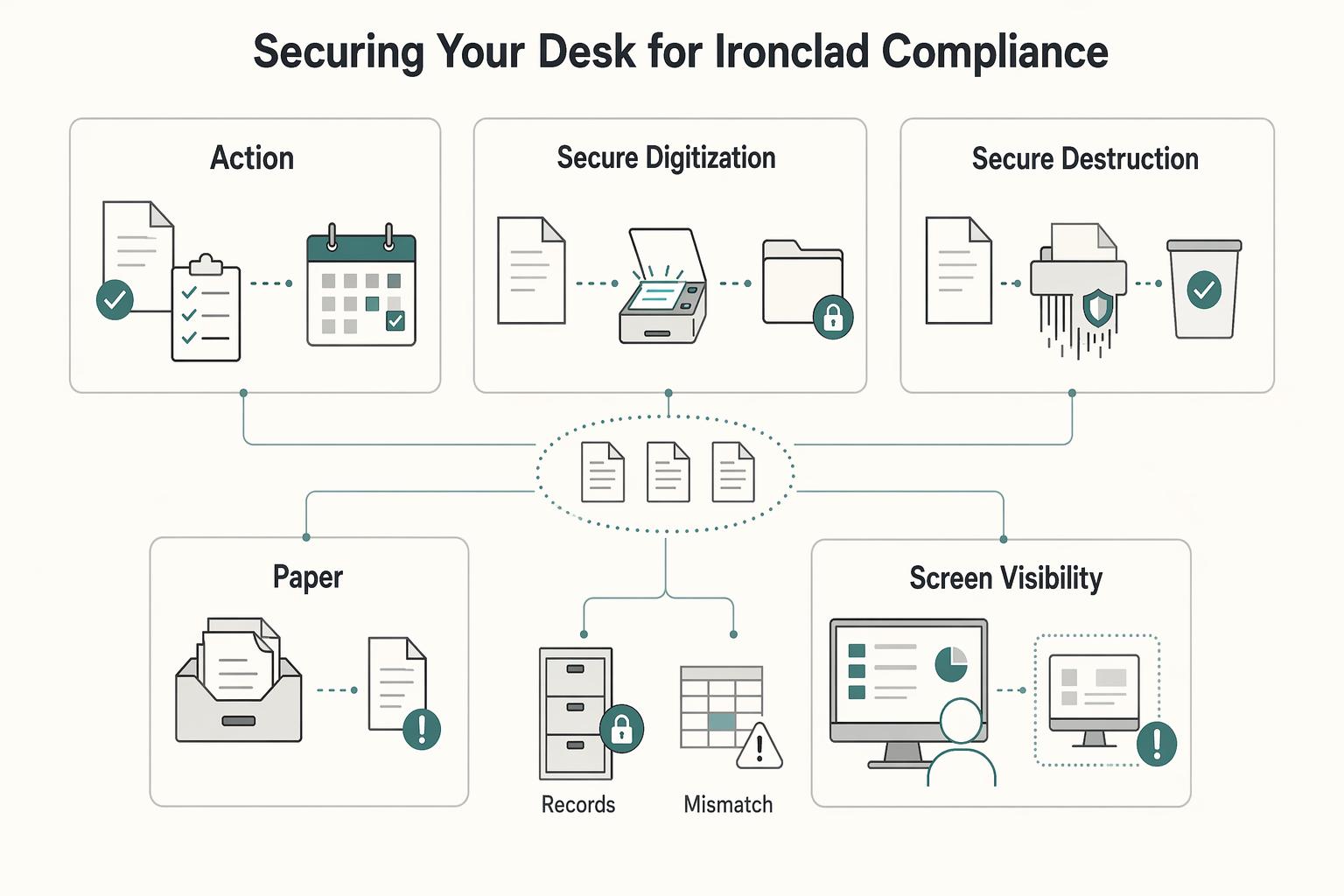
**Step 1: Reframe your desk as an operating surface, not a storage surface.** Start there. Your desk either helps you move through work cleanly or forces extra decisions all day. The friction is usually ordinary, not dramatic. You stop to find a charger. You re-read the same note because it never got filed. You clear a patch of space before signing something, or tilt your camera on a client call so loose papers stay out of view.