
Quick Answer
Yes - test them like a work tool, not a wellness promise. Run one baseline week and one trial week, then compare task duration, revision count, and end-of-day stamina. Keep monitor position, brightness, and break cadence fixed so the lens is the only variable. For buying risk, confirm anti-reflective specs and a return path such as a 30-day refund/replacement window before you commit.
Is Digital Eye Strain a Line Item on Your P&L? Quantifying the Business Cost of Visual Fatigue#
Yes - treat it as an operational risk. If screen-heavy work leaves you rereading, correcting small mistakes, or dropping out of deep work earlier than planned, visual fatigue may be one contributor to output variance.
Start with the cost signal, not the product. The business question is not whether eye strain feels annoying, but whether you can observe slower task completion, more revisions, weaker reading accuracy, or shorter stretches of usable focus.
That matters because the cost is usually indirect. You rarely see "visual fatigue" as a separate expense. You see it as an extra pass on a client deck, a contract clause you had to reread three times, or a block of work that should have taken 40 minutes but drifted past an hour.
To handle this professionally, track the output change you can actually observe rather than making big claims you cannot verify.
From symptoms to business signals#
Quantify it in your own context. Mercer Capital makes the broader point plainly: business models, risks, and value drivers vary widely across sectors. A designer, developer, accountant, recruiter, and founder can all feel the same afternoon eye strain, but the commercial impact shows up in different places.
The practical move is to map symptom patterns to work output, then tie them to a cost signal you already review each week.
| Symptom pattern | Possible work output impact to test | Cost signal to track |
|---|---|---|
| You reread the same paragraph, line of code, or spreadsheet row | Slower completion on detail-heavy tasks | Task duration versus your normal baseline |
| You squint, rub your eyes, or lose place on screen | More small mistakes and more correction passes | Revision count, typo rate, QA comments, or resend frequency |
| You get a dull headache or heavy eyes late in the day | You switch from deep work to easier admin earlier than planned | Hours of deep work completed before you switch tasks |
| Text feels less crisp after long screen sessions | Lower confidence in review and decision tasks | Time to approve, sign off, or finalize work after first draft |
In practice, this often feels like a focus tax. Whether the driver is visual discomfort, context switching, or something else, the operational issue is similar: pace or quality slips and you need extra passes.
On a normal day, that can look like tab hopping, rereading, slower comparison work, and a stronger urge to defer decisions that require careful visual review.
Find your fatigue threshold#
You do not need a clinical model to spot a performance drop. You need a simple weekly check that ties what you felt to what changed in your work. At the end of each week, run through this quick check:
| Checkpoint | What to note |
|---|---|
| Speed drop | Tasks where your speed dropped after a certain hour |
| First symptom | Blur, dryness, headache, squinting, or constant refocusing |
| Screen context | Laptop only, bright room glare, dual monitors, long editing session, video calls, or night work |
| Business effect | Extra revisions, longer review cycles, reduced deep-work time, or delayed decisions |
| Pattern frequency | Whether it repeated on three or more days or was isolated to one unusual workload spike |
Your fatigue threshold is the point in the day, or the kind of task block, where output starts to slip. Once you know that threshold, you can stop treating the issue as vague tiredness and start treating it as an operating constraint.
One red flag is assuming every dip is a motivation problem. If the same symptom pattern keeps showing up, verify the basics first. Check screen brightness, glare, font size, work block length, and whether one device triggers the problem more than another.
If symptoms persist, a preventive eye care checkpoint is a reasonable escalation. For example, Mister Spex says its Eye Health Check was rolled out nationwide in June 2025 and presents it as an access point within a broader preventive eye care offer. That is not proof of a work-performance outcome, but it is the kind of named checkpoint that helps you stop guessing.
There is also an access risk worth noting. One stated failure mode in optical care is long waiting times and limited specialist capacity. So document the pattern while it is happening: task type, time of day, device, lighting, and what changed in your output. That evidence pack is far more useful than a vague memory of "bad screen fatigue last month."
This diagnosis step does not fix the problem by itself. It shows you where the performance leak is happening, which is why the next move is a layered mitigation approach rather than another round of guesswork about glasses.
You might also find this useful: A Guide to Healthy Snacking for a Productive Workday.
Use the hardware, software, and behavior layers together#
Use all three layers together. If you rely on only one layer, the same risk usually returns through what you left unchanged.
You already identified your fatigue threshold. Now reduce the triggers around it and make your response repeatable. Keep claims grounded: a 2023 narrative review in Ophthalmology and Therapy supports a broad blue-light discussion, but it does not provide a single-product answer (DOI: 10.1007/s40123-023-00675-3).
| Layer | Primary risk it addresses | Core actions | Common failure mode |
|---|---|---|---|
| Hardware | Visual load from screen position, glare, unreadable text, and poor lens fit for your work | Adjust monitor placement so you can read without leaning in, reduce glare, increase text scaling before adding effort, choose lenses based on task fit and return options | Buying gear first while keeping the same setup and tiny text |
| Software | Display settings that add strain across long work blocks | Start with native OS warmth, brightness, and contrast controls; add third-party tools only if needed; test changes on real work | Over-filtering and making design/review work harder |
| Behavior | Long uninterrupted blocks where discomfort builds before you react | Use a repeatable break cadence, blink resets, deliberate task switching, and weekly symptom checks | Relying on willpower and dropping the routine during busy days |
Hardware first#
Fix what you can verify in five minutes before buying anything. If you cannot read comfortably without craning, squinting, or moving closer, correct placement and text scaling first. For exact monitor height, distance, brightness, and scaling values, use current guidance only after you verify it for your device and setup.
Glare control is a core check. Test reflections at the same time of day your symptoms usually start. If windows or lights reflect on your screen, adjust screen angle, desk position, or lighting, then recheck the same task.
If you are evaluating glasses for screen work, treat lens choice as task fit, not brand preference. A practical checkpoint is whether the seller helps match lens options to your light sensitivity and work context. TheraSpecs offers a questionnaire for this. That is not proof of performance, but it is a stronger buying process than picking a random listing.
Keep two purchase-risk checks in your process: verify the return window and avoid depending on one listing. One Amazon example showed a 30-day refund/replacement window and low stock, which highlights both trial protection and availability volatility.
Software next#
Start with built-in device controls. Use native warmth, brightness, contrast, and evening display settings for a week before adding tools so you can isolate what changed.
Add third-party tools only if native controls are not enough for your schedule or device mix. For color-sensitive work (design, photo, video, product review), aggressive filtering can create a new problem by distorting color perception. Test any filter on real deliverables, not just on how "comfortable" the screen feels.
Behavior makes the other two stick#
Use a routine you can still keep during a busy week: a planned break cadence, short blink resets when you catch yourself staring, and task switching before discomfort turns into avoidable mistakes.
Run a weekly adherence check:
- Did you follow your planned break cadence on at least three workdays?
- Did you catch leaning in, squinting, or rereading and adjust something the same day?
- Did any device, room, or task trigger symptoms faster than others?
- If you used lenses, did you test them on real work, not just casual browsing?
Treat this as a stack, not a menu. If one layer is missing, risk often returns through that gap. That leads directly to the next question: whether the time and spend are paying back in your output. Related: The Best Gear for a Portable Home Office.
How to Calculate Your ROI on Blue Light Glasses: An Investment Guide#
ROI is only real if your work output improves, not just how the pair feels. Use a simple before/after test and decide from your own logs.
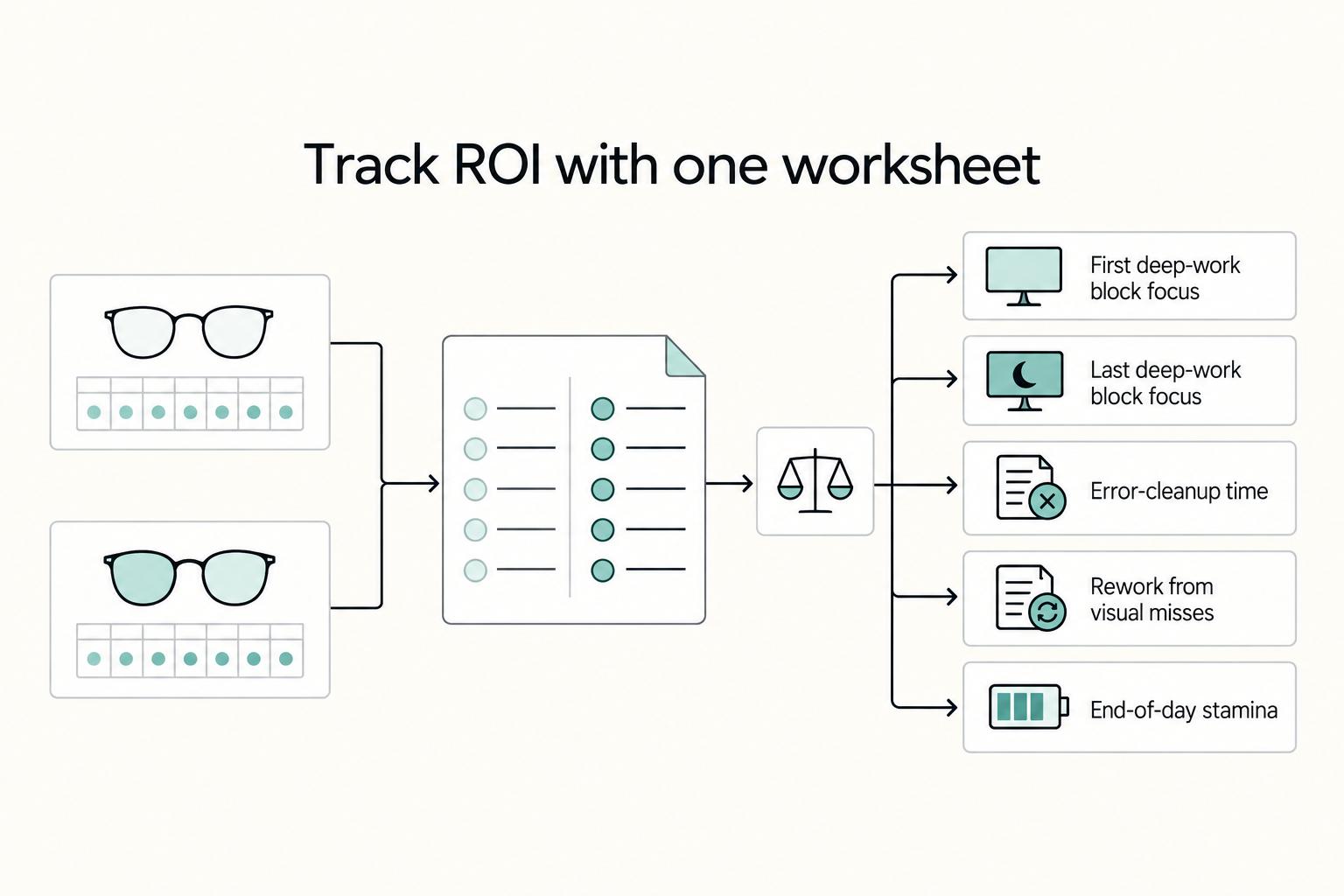
Track ROI with one worksheet#
Log one normal week with your current setup, then one trial week with the new pair. Keep monitor position, brightness, and break habits the same in both weeks so your comparison is clean. If you use visual resets, keep the same cadence in both weeks (for example, looking across the room every 20-30 minutes for 10 seconds).
| Daily field | What to log |
|---|---|
| First deep-work block focus | Enter your current benchmark after verification |
| Last deep-work block focus | Enter your current benchmark after verification |
| Error-cleanup time | Rereads, typo fixes, missed-detail corrections; enter your current benchmark after verification |
| Rework from visual misses | Enter your current benchmark after verification |
| End-of-day stamina | 1-5; enter your current benchmark after verification |
Use the same fields each day. If comfort improves but these measures do not, treat that as comfort value, not business ROI.
| Work context | Lens type | Expected tradeoff | Best-fit use case |
|---|---|---|---|
| Long text-heavy sessions | Clear or lightly tinted lens with anti-reflective coating | Usually low disruption, but gains may be subtle | Writing, analysis, coding, admin work |
| Video-call-heavy days | Clear lens with anti-reflective coating | On-camera results depend on glare setup, not lens choice alone | Coaching, consulting, sales, client meetings |
| You already wear prescription glasses most of the day | Prescription lens with chosen coating | More upfront commitment, fewer moving parts day to day | Single-pair daily workflow |
| You mostly wear contacts | Non-prescription pair used with contacts | Easy to trial and easy to stop if no impact | Reversible test without replacing your main glasses |
| You alternate between glasses and contacts | Start with the setup used in your longest screen block | Convenience can beat theoretical fit if wear consistency is low | Mixed routines where adherence decides outcome |
Verify anti-reflective claims with a checklist#
Treat coating claims as something to verify, not trust by default. Coatings can help when matched to your work style and budget, and poor choices can add friction.
| Checkpoint | What to verify |
|---|---|
| Coating claim | Product specs clearly state anti-reflective or glare-reducing coating |
| Return or exchange terms | Terms cover fit, tint, and comfort issues found during real work |
| Glare test conditions | Test overhead lighting, window light, and video calls |
| On-camera result | Your eyes should stay visible on camera; heavy reflections are a fail signal |
If headaches continue after glare and brightness adjustments, stop cycling through products and check prescription accuracy and ergonomics next.
Selection path and quality vetting#
Pick the format you will actually wear:
- If you wear prescription glasses all day, start with that lens path
- If you mainly wear contacts, test a non-prescription pair first
- If you alternate, test during your longest screen block
- Avoid stacking lenses over other glasses when possible, since extra surfaces and pressure points can muddy results
For procurement, ask for evidence and inspect what arrives:
- If filtering is advertised, ask whether a spectral or transmittance report is available
- Check for visible distortion on straight lines
- Check coating consistency across both lenses
- Check hinge stability and overall frame feel
- Confirm you can wear the frame through a full session without nose or temple pressure
Run the trial period, log the same worksheet, then decide: keep, return, or switch based on measured impact, not marketing copy.
If you want a deeper dive, read How to Stay Healthy and Fit While Traveling.
Conclusion: Upgrade Your Toolkit, Protect Your Career Longevity#
Treat glasses for screen work as one tool in a broader setup, not a standalone fix. If you are trying to reduce comfort-related interruptions and end-of-day strain, improve hardware, software, and habits together, then keep only what holds up in your own work.
That matters because the evidence base is still something you should verify, not wave around. A practical checkpoint is whether a product or article points to identifiable review records and DOI metadata. Examples include the 2026 updated review with DOI 10.1177/25158414251412798 and the 2023 Cochrane review record with DOI 10.1002/14651858.CD013244.pub2.
Just do not confuse database presence with endorsement. PMC itself notes that inclusion in an NLM database does not imply endorsement of the contents. On the buying side, a retail detail like a 30-day refund/replacement window is useful for procurement risk, but it is not proof the lenses will help you.
| Strategy component | What you implement this week | Expected business impact | What to monitor |
|---|---|---|---|
| Hardware | Fix glare, screen angle, and test one pair with anti-reflective coating and a return window | Potentially steadier comfort during long screen blocks | End-of-day blur, headaches, color shift, fit during 2 to 4 hour sessions |
| Software | Turn on your device's evening display tools when late work is common | May reduce perceived visual harshness in late sessions | Whether tint affects client review or design judgment |
| Behavior | Use a repeatable break habit and short distance-focus resets | May lower strain risk from uninterrupted screen time | Missed breaks, eye rubbing, last-block error cleanup |
If you want a number, build it from your own logs and your own baseline. Use this operating checklist:
- Hardware: verify glare, screen position, lens coating, and return terms.
- Software: set display tools only where they do not create color mistakes.
- Behavior: review your break habit weekly and adjust if symptoms return.
If your setup still feels fragile, the next smart step can be broader desk ergonomics, not a second pair of lenses. For that, see The Best Ergonomic Gear for Your Remote Work Setup.
For a step-by-step walkthrough, see A Guide to 'Deep Work' for Freelancers. Want help pressure-test your setup? Talk to Gruv.
Frequently Asked Questions
Are blue light glasses worth it for programmers and developers?
They are worth testing if your day is mostly code, docs, terminals, and long reading sessions, and you regularly notice screen-fatigue symptoms after those blocks rather than just general tiredness. Keep them only if your own logs show fewer interruptions or a steadier last work block.
What percentage of blue light filtering is best for heavy screen use?
Do not treat one number as universal. Based on available guidance, clear lenses are usually positioned for mild everyday filtration, while yellow or orange tinted lenses are positioned to block more blue light and may fit evening use better. Start with your use case and timing, then verify product specs.
How do blue light glasses impact productivity and focus?
They may help if visual discomfort is one of the things breaking your concentration. They do not guarantee better output. Watch for signs you can measure: fewer pauses to rub your eyes, less end-of-day blur, and fewer comfort-related disruptions in your last work block.
What is the best complete system for preventing digital eye strain?
Use a combined approach instead of relying on one tool alone. Glasses can be one part of that approach, but your screen habits and setup still matter. If symptoms continue, adjust the rest of your routine before assuming the lenses are the only issue.
Can blue light glasses help with sleep?
They might help if evening screen time seems to push your sleep later. That is more plausible when you use screens close to bedtime, since blue light may disrupt circadian rhythm and make sleep onset harder. Clear lenses may suit daytime use, while yellow or orange tinted lenses may fit evening use better.
Will they distort the colors for my design work?
Tinted lenses may change how colors appear on screen. If color judgment affects client work, test them in your actual tools before you commit. Check whites, skin tones, brand colors, and neutral grays side by side with and without the pair.
Try a related tool
Researched and edited by the Gruv editorial team. Gruv builds cross-border billing, payouts, and finance-operations software for global businesses.
Sources
- checkout.columbiacollege.edu/browse/uvRRpD/9FE172/100-percent-lens__guide...trusted
- coastalbend.edu/marketing_public_relations/2024-2025-course-...trusted
- digitalcommons.njit.edu/cgi/viewcontent.cgitrusted
- govinfo.gov/content/pkg/GOVPUB-C13-PURL-gpo2659/pdf/GOVP...trusted
- nvlpubs.nist.gov/nistpubs/specialpublications/nist.sp.960-16e...trusted
- pmc.ncbi.nlm.nih.gov/articles/PMC9938358trusted
- pmc.ncbi.nlm.nih.gov/articles/PMC12833160trusted
- websterny.gov/553/Supervisors-Columnstrusted
Educational content only. Not legal, tax, or financial advice.
Related Posts

How Remote Professionals Stay Healthy During Long Stays Abroad
Use this sequence before workload, housing, and travel friction make health tasks harder to execute. If you are traveling for months, treat this as four pass-fail gates. A gate is closed only when you have a written output you can verify.
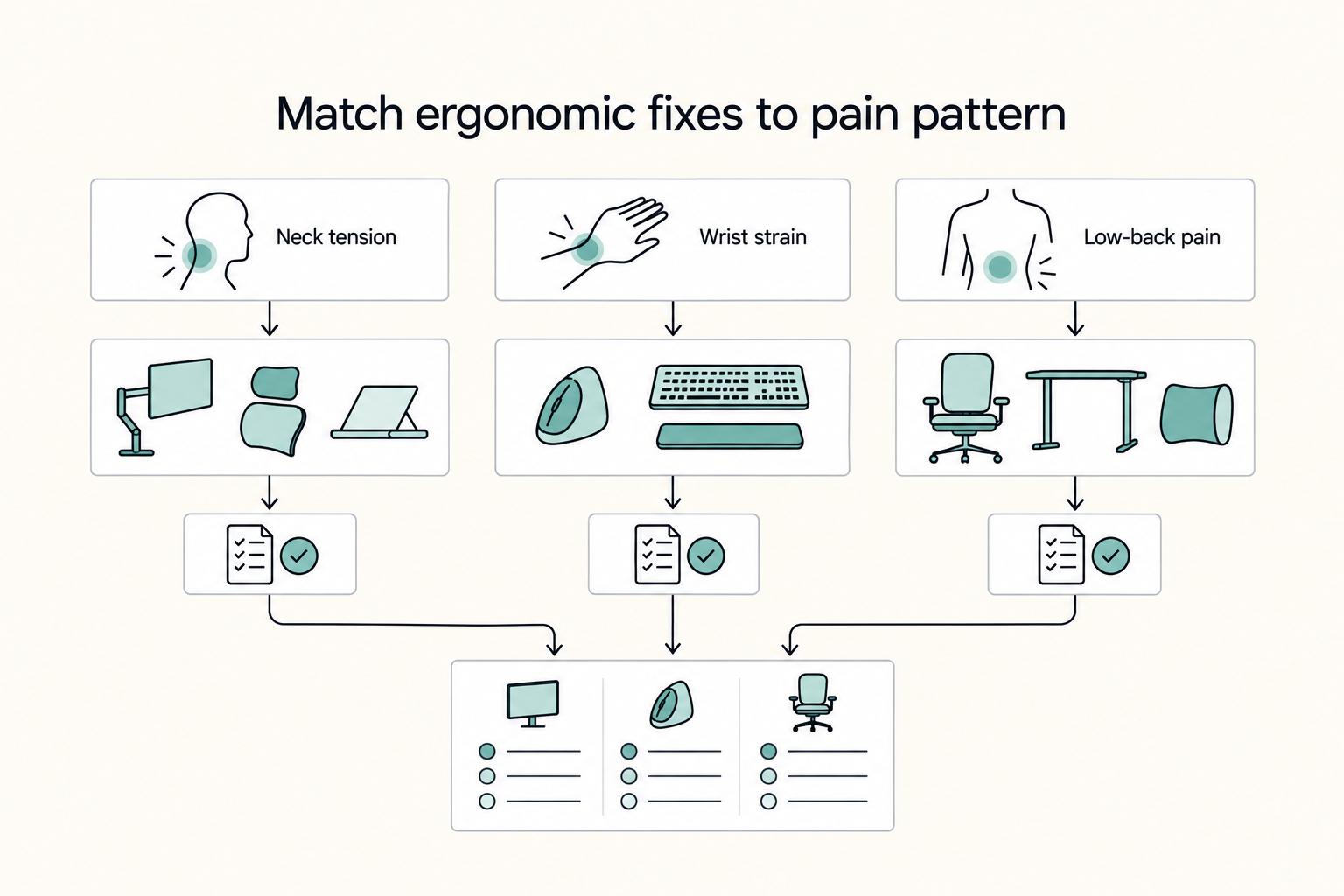
The Best Ergonomic Gear for Your Remote Work Setup
**Treat your ergonomic remote work setup as operating infrastructure, not a comfort splurge.** When posture breaks down, delivery quality and scheduling usually break down right after. Start by setting a baseline that protects your body and your business before you compare products.

The Best Gear for a Portable Home Office
Portable-office gear decisions are not directly tested in this guide, so use this as a practical framework rather than a proven standard.