
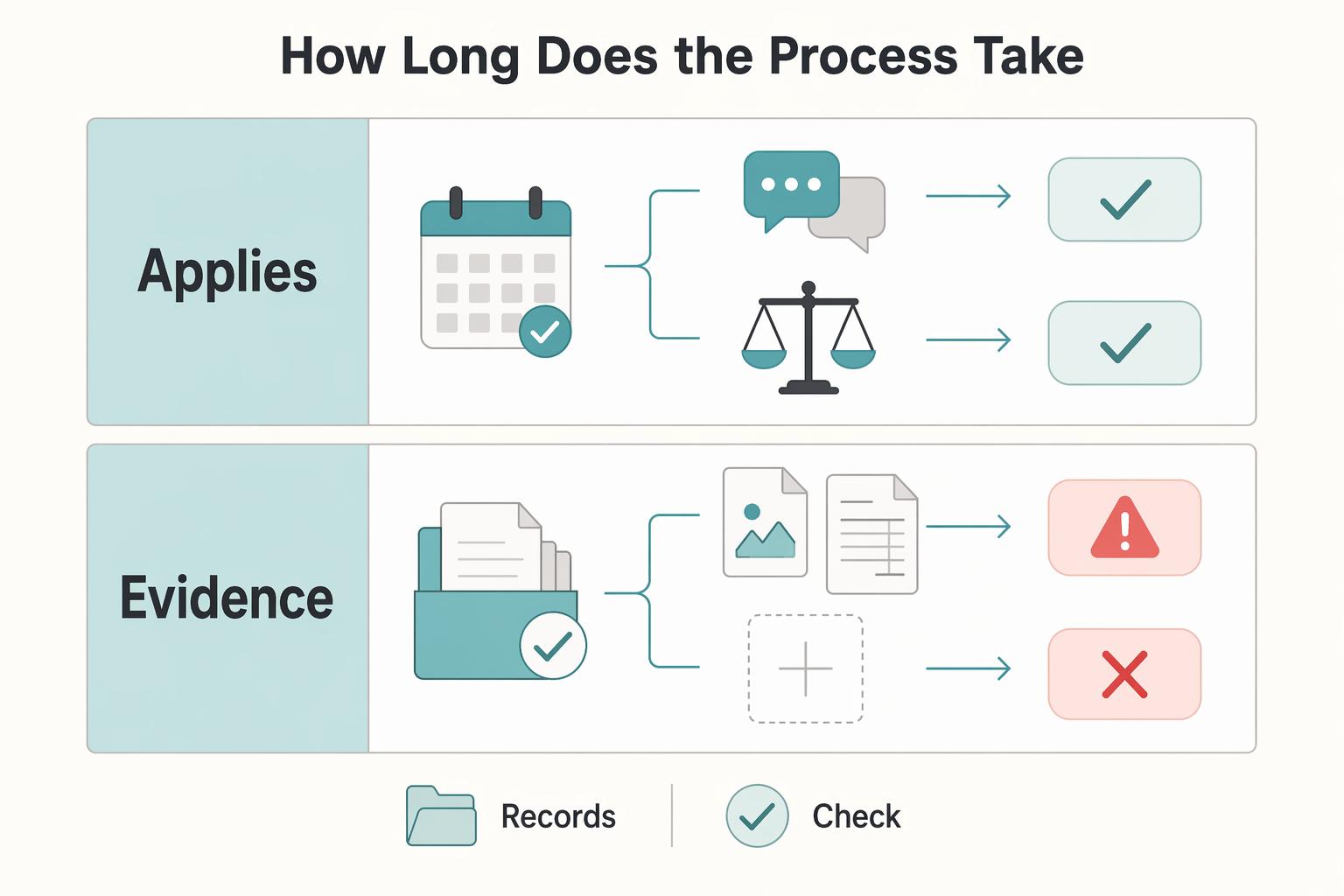
Quick Answer
Use Airbnb's Resolution Center by documenting the issue before cleanup, messaging the guest in the reservation thread, attaching before-and-after evidence plus receipts or estimates, and escalating if the guest does not resolve it. The article also recommends clear house rules, organized file names, neutral on-platform communication, and filing within Airbnb's stated timelines.
Before the Dispute: Your Pre-Stay Protocol for an Ironclad Case#
If you ever need to file through the Airbnb Resolution Center, the work that matters most starts before your guest arrives. The core goal is straightforward: set expectations early and keep your pre-stay records organized so later discussions are clearer.
Build a usable condition library#
A required Airbnb evidence format for photos, videos, metadata, or storage location is not established. If you document pre-stay condition for your own records, keep the process consistent and easy to follow.
| Area | Guidance |
|---|---|
| Checklist | Use a repeatable before-stay checklist so your records are not ad hoc. |
| File names | Name files clearly by date, room, and item so you can find them later. |
| Original files | Keep your originals and avoid replacing them with only compressed or screenshot copies. |
Once your before-stay record is organized, make sure your written rules are just as clear.
Write rules like instructions, not slogans#
Clear, well-communicated house rules help reduce friction, disputes, and bad reviews. They also help attract guests who are likely to follow the rules and deter guests who are not a fit.
Two rule areas deserve precise wording every time: occupancy and noise. If only registered guests are allowed, say exactly that. If you need quiet hours, state the window clearly. One concrete example in the available sources is quiet hours from 10 PM to 8 AM.
| Topic | Weak wording | Stronger claim-ready wording |
|---|---|---|
| Occupancy | "No visitors." | "Only registered guests are allowed on the property." |
| Noise | "Be respectful of neighbors." | "Quiet hours are 10 PM to 8 AM." |
| Guest acknowledgment | "Please read the rules." | "Please confirm you reviewed the listing rules and check-in instructions, including occupancy and quiet-hours terms." |
Clear wording does not automatically make every fee or consequence enforceable. What it does is reduce ambiguity. If rules are vague, you invite arguments about interpretation. If they are specific and communicated at booking, operations are usually smoother.
Keep value records practical and current#
A required minimum field set or update cadence for a replacement-value ledger is not confirmed. If you keep one, use it as internal documentation and verify current platform policy language before relying on it in a claim.
If you want a deeper dive, read Thailand's Long-Term Resident (LTR) Visa for Professionals.
The Incident Response Protocol: 4 Steps When Things Go Wrong#
When you find damage, missing items, or an unusual cleaning issue, run this sequence in order: document first, message on-platform, price with proof, then file and escalate.
| Step | Action | Key point |
|---|---|---|
| 1 | Stop, secure, and document before you touch anything | Do not clean, repair, reset, or move items until you capture the condition as found. |
| 2 | Message the guest in the reservation thread, and stay neutral | Keep substantive communication on-platform so the timeline is preserved. |
| 3 | Calculate the amount with objective documentation | Build your claim from evidence, not memory. |
| 4 | File in the Resolution Center, then escalate through Airbnb if needed | If direct resolution stalls earlier, use Get Help from the reservation page. |
Step 1: Stop, secure, and document before you touch anything. Do not clean, repair, reset, or move items until you capture the condition as found.
- Capture the scene overview first: room-wide photos/video, item location, and nearby context.
- Capture item-level detail next: close angles, labels/tags, and any visible related impact.
- Name files clearly so the sequence is easy to follow later (for example, date + room + item + view).
- Keep original files and share copies as needed so your record stays intact.
Before you file, separate covered damage from non-covered items. Normal wear and tear, plus routine checkout cleaning tasks (like laundry, dishes, or trash removal), are outside Host damage protection.
Step 2: Message the guest in the reservation thread, and stay neutral. Keep substantive communication on-platform so the timeline is preserved.
Use a short message:
Hi, during post-checkout inspection, I found an issue in the affected area. I documented it with photos/video and I'm now collecting repair/replacement documentation. If you have context on what happened, please share it here. I'll send the formal request through the platform once the amount is finalized.
If you can agree on an amount first, that can help acceptance, but do not let negotiation consume your filing window.
Step 3: Calculate the amount with objective documentation. Build your claim from evidence, not memory: condition proof plus cost proof plus a short explanation of what you are requesting.
| Proof type | Stronger support | Weak support / risk |
|---|---|---|
| Receipt or invoice | Identifies item/service, seller, date, and amount; paired with your condition evidence | Card charge with no item detail, or no clear tie to the claimed damage |
| Professional repair/cleaning estimate | Written estimate with business details, scope, and amount | Verbal quote, informal text only, or unsupported self-estimate |
| Comparable replacement listing | Context-only backup when direct records are missing; current policy treatment pending platform/source verification | Generic search result, non-comparable upgrade, or price inflation |
If pre-existing wear is relevant, state it and keep the amount conservative.
Step 4: File in the Resolution Center, then escalate through Airbnb if needed. Verify the current filing window from Airbnb's official policy before submitting. Include your summary, photos/videos, and cost documents.
After submission, verify the current guest response window from Airbnb's official policy before relying on a timeline. If the guest does not respond, pays partially, or declines, escalate under Host damage protection. If direct resolution stalls earlier, use Get Help from the reservation page so the case stays in Airbnb's review path.
Presenting Your Case: Communication in the Resolution Center#
Your message should read like a case file, not a vent. In the Airbnb Resolution Center, make it easy to verify three things fast: what happened, which files prove it, and what remedy you are requesting. If you and the guest cannot agree, a mediator may review the record, and unresolved disputes can end in Airbnb's final decision.
Use wording a reviewer can verify#
Write in facts, file names, and requested remedy. Avoid intent-based or emotional language that forces a reviewer to guess.
| Weak phrasing | Mediator-ready phrasing |
|---|---|
| "The guest trashed the place." | "During post-checkout inspection, I found damage to the affected item. The uploaded post-stay files show its condition." |
| "This is obviously their fault." | "Post-stay condition differs from the pre-stay condition shown in the uploaded baseline files." |
| "I want to be compensated fairly." | "I am requesting reimbursement for the documented amount shown in the attached estimate, invoice, or receipt." |
| "Airbnb should fix this." | "I first attempted resolution in the reservation message thread and now request review based on the attached record." |
Build a timeline that carries the case#
Use a short timeline with three fields per line: event, evidence file, and why it matters.
| Event | Evidence file | Why it matters |
|---|---|---|
| Pre-stay inspection completed | Exact uploaded pre-stay file name | Establishes baseline condition before the stay. |
| Guest checkout recorded | Reservation record or message-thread reference | Anchors responsibility window and inspection sequence. |
| Post-stay damage identified | Exact uploaded post-stay file name | Documents condition as found. |
| Cost support received | Exact uploaded estimate, invoice, or receipt file name | Supports the amount requested. |
- Event: Pre-stay inspection completed, with the actual check-in time pulled from the reservation record.
Evidence file: exact uploaded pre-stay file name Why it matters: Establishes baseline condition before the stay.
- Event: Guest checkout recorded, with the actual check-out time pulled from the reservation record.
Evidence file: reservation record or message-thread reference Why it matters: Anchors responsibility window and inspection sequence.
- Event: Post-stay damage identified, with the actual inspection time from your records.
Evidence file: exact uploaded post-stay file name Why it matters: Documents condition as found.
- Event: Cost support received, with the actual document date from the estimate, invoice, or receipt.
Evidence file: exact uploaded estimate, invoice, or receipt file name Why it matters: Supports the amount requested.
Cite your attachments like exhibits#
Keep naming consistent so your message and uploads match exactly: date, stage, room, item, view. In your text, cite each file name exactly as uploaded, and run one final check before sending: every file mentioned appears in uploads, and every amount in text matches the supporting document. This prevents avoidable credibility gaps caused by mismatched names or amounts.
Use a closing claim like this:
A clean version is: "I am requesting reimbursement for the documented amount. The amount is based on the attached estimate, invoice, or receipt. The uploaded pre-stay and post-stay files show the condition change." Verify current Airbnb policy wording from official source records before adding policy language to the request.
For a step-by-step walkthrough, see A Guide to Airbnb SEO to Rank Higher in Search.
The Escalation Protocol: How to Win with a Mediator#
If the guest declines or does not respond, escalate in the Airbnb Resolution Center and submit a record a reviewer can verify fast.
Before you escalate, run a case-file check: each claim point should map to one attachment, one date, and one amount. Include the reservation message thread, the before/after records you already referenced, and the document that supports your requested amount. Keep filenames clear and traceable even though Airbnb does not require a naming format, for example 2026-03-20_PostStay_Bedroom_Lamp_crack.jpg instead of IMG_4472.jpg. Also confirm your payment method is on file, since Airbnb says you may need one before sending or requesting money.
Structure your mediator summary around these points:
- Incident snapshot: what happened, when you discovered it, and when checkout occurred
- Policy basis: current Airbnb policy name and eligibility wording pending platform/source verification.
- Evidence references: list each supporting file exactly as uploaded
- Requested remedy: exact amount requested and the document that supports it
Keep two boundaries in view. Do not use this path for reservation alterations or added costs from changing a booking, because those belong in Change reservation. Do not assume you can collect a security deposit separately, since Airbnb limits that to select software-connected hosts. Mandatory fees also need to be disclosed in the proper fee fields, not only in the listing description.
| Escalation behavior | Weak escalation | Mediator-ready escalation |
|---|---|---|
| Tone | Frustrated, repetitive, accusatory | Brief, factual, nonpersonal |
| Evidence quality | Upload pile with vague references | One-to-one mapping between each claim point and attachment |
| Response discipline | Keeps arguing with guest after escalation | Monitors account email or the Resolution Center and answers follow-up questions directly |
Keep the timing straight: Resolution Center requests can be submitted up to 60 days after checkout, but some issue eligibility depends on reporting within 72 hours of discovery. After you submit, Airbnb may have a dedicated team member review the information and ask follow-up questions, so stay available and respond with what you can prove.
Related: Canada's Digital Nomad Stream: How to Live and Work in Canada.
Conclusion: From Operator to Strategist#
The real upgrade is not getting better at the Airbnb Resolution Center. It is building a process where a dispute is one contained task, not a week of panic and guesswork. Treat the tool as a filing channel, not the centerpiece.
In practice, that means a simple sequence. Before each stay, create the baseline with time-stamped photos and a clean record of the unit's condition. When something goes wrong, document before cleanup, keep every message on-platform, and tie each file to a specific claim amount with a receipt, invoice, or repair estimate. If the guest refuses or stalls, stop debating and escalate with an organized evidence pack that is easy to review.
That broader posture matters because not every payment problem stays inside the normal dispute path. Host reporting has described chargeback cases where a completed stay was disputed weeks later, sometimes with limited host visibility into the evidence or outcome. Whether that matches your exact case or not, the lesson holds: strong documentation helps, weak records leave you exposed.
| Area | Reactive host | Strategic host |
|---|---|---|
| Reaction style | Responds after emotions spike | Follows a prepared sequence |
| Documentation quality | Mixed photos, vague notes, missing amounts | Time-stamped media, labeled files, amount support |
| Dispute handling | Argues in messages and improvises | Communicates on-platform and escalates cleanly |
| Business impact | One case drains time and focus | Issue stays contained so operations keep moving |
If you keep the checklist cadence, evidence hygiene, and claim-ready records in place, guest disputes are usually easier to contain and less disruptive to the work that actually grows your hosting business.
We covered this in detail in A Guide to Airbnb's Host Protection Insurance (AirCover).
Frequently Asked Questions
What is the strongest evidence for a damage claim?
The strongest evidence is a clear timeline paired with proof of the amount requested. Use clearly labeled before-and-after files when available, plus a matching receipt, invoice, or repair estimate.
How should you write the money request message?
Write the request so a reviewer can verify it in one pass. State checkout and discovery times, name the before and after files, name the invoice or receipt that supports the amount, and avoid blame or speculation.
What if the guest ignores or refuses the request?
If the guest ignores or refuses the request, stop arguing and move to mediation. Monitor your account email and the Resolution Center, then submit a short summary with the amount, discovery time, and exact file names.
Can you still use it after leaving a review?
Yes. The article says the key checkpoint is the filing timeline, and requests can be submitted up to 60 days after checkout, so you can leave the review and continue the request on-platform if you are still within that window.
Can you use it for reservation changes, extra nights, or a security deposit?
No for reservation alterations. Use Change reservation for extra nights, guest-count or pet-count changes, and do not assume you can charge a security deposit separately; mandatory fees must be disclosed in the proper fee field.
How long does the process take, and does good evidence guarantee payment?
The process length is not guaranteed because it may involve guest discussion first and then Airbnb review or mediation. Good evidence helps, but the article says photos and invoices do not guarantee approval or payment.
Try a related tool
Researched and edited by the Gruv editorial team. Gruv builds cross-border billing, payouts, and finance-operations software for global businesses.
Sources
Includes 1 external source outside the trusted-domain allowlist.
- documents.bouldercolorado.gov/WebLink/DocView.aspxtrusted
- eur-lex.europa.eu/legal-content/EN/TXT/HTMLtrusted
- journals.law.harvard.edu/jol/wp-content/uploads/sites/86/2016/02/HLL1...trusted
- justice.gov/usao/page/file/1243216/dltrusted
- lexingtonma.gov/faqtrusted
- planning.lacity.gov/plndoc/Staff_Reports/2025/04-24-2025/VTT_840...trusted
- sec.gov/Archives/edgar/data/1579878/0001628280250337...trusted
- airbnb.com/help/article/767external
Educational content only. Not legal, tax, or financial advice.
Related Posts

Thailand's Long-Term Resident (LTR) Visa for Professionals
For a long stay in Thailand, the biggest avoidable risk is doing the right steps in the wrong order. Pick the LTR track first, build the evidence pack that matches it second, and verify live official checkpoints right before every submission or payment. That extra day of discipline usually saves far more time than it costs.
Canada Digital Nomad Visa Planning for Visitor Status and Work Permits
The phrase `canada digital nomad visa` is useful for search, but misleading if you treat it like a legal category. It is shorthand for existing Canadian status options, mainly visitor status and work permit rules, not a standalone visa stream with its own fixed process. That difference is not just technical. It changes how you should plan the trip, describe your purpose at entry, and organize your records before you leave.
How to Handle Difficult Guests as an Airbnb Host
Your property may perform like a strong asset, but every accepted booking still introduces one variable you do not fully control: the guest. Even experienced operators feel that tension. The answer is not better luck. It is better process.