
Quick Answer
Model remote.com pricing for contractors as two parts, not one headline figure: the contractor plan amount and the payout-side costs that depend on currency path, withdrawal route, and fee ownership. Keep contractor, EOR, and payroll lanes separate, then mark each estimate line as confirmed only when you have in-account evidence, current documentation, or written support tied to your setup. Anything else stays unresolved and out of the approved base total.
Why this pricing breakdown matters before you commit#
If you are evaluating remote.com pricing for contractors, the first question is not whether the headline number looks cheap. It is whether every line in your estimate belongs in the right pricing lane. The platform subscription is only one part of what you may end up paying, and treating it as the full cost is how teams approve the wrong budget.
The simplest way to avoid that mistake is to separate three billing lanes before you compare options. In the third-party pricing guide marked updated Mar 25, 2026, Contractor Management is described as a per contractor, per month charge, reported at $29/month per contractor. EOR is a different lane billed per employee, per month, reported at $599/month per employee. Global Payroll is shown as a separate product with custom pricing, so there is no fixed public seat price to drop into a contractor model.
That sounds obvious, but this is where bad comparisons start. A buyer sees one contractor fee, then folds in employee-lane assumptions like deposits or country complexity, or compares a contractor plan directly against an EOR quote as if both prices cover the same thing. They do not. One is a contractor management subscription, one is an employee employment service, and one is a payroll product priced through a custom quote. Different unit, different scope, different budget logic.
The practical consequence is simple: list price is the starting point, not the total. The same third-party guide says as much and flags that you still need to ask for specifics, including FX-rate details. That matters because two estimates can show the same subscription line and still land at different totals once currency-conversion terms or geography come into play. For contractor-heavy mixes, the guide gives an example where total cost came out $580/month higher than a competitor despite similar-looking employee pricing. That is the failure mode to watch for: a tidy spreadsheet built on the wrong lane logic.
Keep each cost in its own lane#
Use plain definitions in your internal model:
| Lane | Pricing model | Price shown | Scope |
|---|---|---|---|
| Contractor Management | Per contractor per month | $29/month per contractor | Platform fee for managing contractors |
| EOR | Per employee per month | $599/month per employee | Fee for employing workers through an employer of record |
| Global Payroll | Separate product with custom pricing | Custom pricing | Payroll product; not a published per-contractor subscription |
If a line item cannot be assigned to one of those lanes, do not treat it as approved. This matters most when someone starts adding country-specific assumptions. The guide notes that some countries may cost more because of heavier compliance requirements. That does not mean every country does, and it does not give you a universal surcharge schedule. It means geography is an input that needs confirmation, not guesswork.
Verify before approval#
A good estimate is not just a number. It is a number tied to a document and an owner. Use that rule when you fill the review table:
| Cost line | Confirmed pricing lane | Document to check | Internal owner |
|---|---|---|---|
| Platform subscription for contractors | Contractor Management | Current vendor quote or account screenshot, cross-checked against the third-party pricing guide | Procurement or finance |
| Employee employment fee | EOR | Current vendor quote or order form | HR operations or procurement |
| Payroll service line | Global Payroll | Custom quote or proposal | Payroll lead |
| FX or currency conversion assumption | Depends on currency-conversion terms, not just plan lane | Written vendor reply or treasury assumption note with quoted FX details | Finance or treasury |
| Country-specific exception or surcharge | Relevant lane for that worker type | Written vendor confirmation for the country in scope | Legal, HR ops, or procurement |
Use a simple rule: proceed only when every estimate line has both a confirmed pricing lane and a documented assumption. If either is missing, mark that line unresolved and do not roll it into an approved total.
That discipline turns a pricing review from a headline comparison into an auditable buying decision. Once the lanes are clean, the next question is the one that actually shapes total cost: which parts stay fixed, and which move with payout behavior.
For a step-by-step walkthrough, see Remote Performance Reviews for Independent Contractors.
Start with the right mental model of contractor cost on Remote#
Use a strict two-layer model before you approve any estimate: separate platform access cost from payout delivery cost. For contractor pricing on Remote, the listing gives you clearer visibility on the first layer than the second.
The visible layer is the Contractor Management lane in a pricing set shown as Per User and Per Month, with a listed $29 price in that set. Treat payout-side items as separate until you verify them. Use these labels: subscription fee (recurring plan charge), FX conversion (cost tied to currency change), payment rail cost (cost tied to transfer route), and intermediary bank deductions (bank-side reductions outside the listed subscription view).
| Cost driver | Who pays | When it appears | What to verify in account or support docs |
|---|---|---|---|
| Subscription fee | Your company | Monthly plan billing | Confirm the lane is Contractor Management (not EOR or another product), validate current quote, and note that the listing says Discount: Information not available |
| FX conversion | Unconfirmed until verified | When invoice and payout currencies differ | Confirm whether conversion applies, where it appears, and who bears it |
| Payment rail cost | Unconfirmed until verified | When funds move through a selected route | Confirm the route in writing and whether it creates a separate charge |
| Intermediary bank deductions | Unconfirmed until verified | Possible during cross-border bank movement | Confirm whether deductions can occur and how they appear in reconciliation |
Before procurement sign-off, test three payout corridors: local same-currency, cross-currency, and non-local routing. For each corridor, collect an account screenshot, quote, or written support reply. If any corridor is still assumption-based, treat the total as provisional. This model sets up the next step: separating what is confirmed from what is still unknown.
If you want a deeper dive, read Deel vs. Remote: A Comparison from the Freelancer's Perspective.
What is confirmed versus unknown in the current evidence#
Assume your Remote contractor total is not approved yet. Remote-specific pricing is unverified, so only treat an item as confirmed when it appears in current in-account plan details, current help documentation, or written support confirmation tied to your setup.
The only populated source here is FAR Part 32 (version marker 2026-01, effective 03/13/2026) on contract financing, with navigable headings such as 32.000 Scope of part. That supports source-control discipline, not proof of Remote contractor pricing.
| Confirmed now | Unknown until verified |
|---|---|
| Evidence standard: A pricing item is confirmed only with current in-account details, current help docs, or written support confirmation tied to your setup. | Approval status: Any item without that proof stays provisional. |
| Plan terms: No Remote contractor price, billing cadence, commitment term, or discount is confirmed. Verify current terms in your account or with Remote support. | Plan terms: Confirm the current plan price with the official source. Add billing cadence, commitment term, and negotiated discount only after proof. |
| Payout corridor behavior: No same-currency, cross-currency, or non-local route behavior is confirmed here. | Payout corridors: Add corridor behavior only after route-specific verification for the corridors you will use. |
| Fee ownership: No proof here confirms who bears FX, transfer, or intermediary bank costs. | Fee ownership: Confirm the named payer for each corridor with the official source. |
| Credits: No credit application, expiry, or contract-year rule is confirmed here. | Credits: Add credit rule only after written confirmation tied to your contract. |
| Bank-route uncertainty: No bank-fee amount or route classification is confirmed here. | Bank route: Confirm the current bank-fee range with the official source, plus exact route and reconciliation placement. |
Procurement gate: do not approve final totals until each unknown has an owner, a verification source, and a status of confirmed, pending, or escalated.
This pairs well with our guide on Choosing the Right SUI Reporting State for Remote Teams.
How contractor payout fees actually behave in real scenarios#
Model payout fees corridor by corridor, not as a single platform assumption, so you can approve both numbers that matter: what the contractor receives and what your company funds. No Remote-specific corridor fee mechanics are confirmed, so each row stays provisional until you verify it in account or in written support tied to your setup.
| Payout corridor | Contractor receive outcome | Verification source |
|---|---|---|
| Same-currency payout to a local destination | Confirm the delivered-amount rule with the official source | Current in-account settings or written support for this corridor |
| Cross-currency payout using a local destination | Confirm the FX-handling and delivered-amount rule with the official source | Current help documentation plus written support for this corridor |
| Same-currency payout to a non-local or cross-border destination | Confirm the bank-route and delivered-amount rule with the official source | Written support tied to route used in your account |
| Cross-currency payout to a non-local or cross-border destination | Confirm the combined FX and transfer-cost rule with the official source | Escalated support reply or live test tied to your setup |
The two setup levers that change outcomes#
The first lever is invoicing currency versus withdrawal currency. If they differ, conversion cost exists somewhere in the flow, but who absorbs it for any Remote corridor is not confirmed.
The second lever is withdrawal path (local vs non-local destination). Route type can change transfer-cost exposure and reconciliation behavior, so local and non-local should stay in separate model rows.
Failure patterns to avoid#
The two recurring errors are predictable: assigning one fee owner across all contractors, and treating non-local routes as equivalent to local routes. Both hide uncertainty until reconciliation.
What to verify before invoice approval#
Use only three verification sources for each corridor row: current in-account details, current help documentation matching your setup, or written support confirmation tied to your setup. If a row cannot point to one of these, it is still an assumption.
Before approval, require operations to document and mark status (confirmed, pending, or escalated) for:
- invoice currency
- withdrawal currency
- destination type (
localornon-local) - named fee owner for FX and transfer costs
- verification source (screenshot, help doc, or support ticket ID)
If any field is unresolved, your payout estimate is provisional.
You might also find this useful: How Independent Contractors Should Use Deel for International Payments, Records, and Compliance.
Stop mixing contractor pricing with EOR and payroll pricing#
Compare only like-for-like lanes before you rank platforms, or your totals will be distorted from the start. Contractor Management, Contractor of Record, EOR, and Payroll use different billing units, legal structures, and risk ownership, so they cannot be blended into one per-worker figure.
| Lane | Billing unit | Service scope | Risk owner |
|---|---|---|---|
| Contractor Management | Per contractor per month ($29 CM, $99 CM+) | Onboard, manage, and pay international contractors | Your company remains the engaging party with the contractor |
| Contractor of Record | 15% of monthly invoice or minimum $325 per contractor/month | Remote engages the contractor and handles end-to-end contractor administration and compliance tasks | Remote is the contracting party with the contractor |
| Employer of Record | Per employee per month ($699) | Remote legally employs the worker and handles payroll, taxes, benefits, and compliance; you direct day-to-day work | Remote is the legal employer |
| Payroll | Per employee per month ($29), with a minimum monthly fee equivalent to three employees | Payroll processing for your direct employees | Your company is the direct employer |
Use these definitions to catch category errors early:
- EOR is an employee lane, often used when you do not have a local entity.
- COR is a contractor lane, but the contract is between Remote and the contractor (not your company and the contractor).
- Payroll is for direct employees, not contractors.
- CM standard is activity-based billing, while CM+ is billed monthly regardless of activity.
Quick classification check before procurement review#
- Worker type: contractor or employee
- Legal employment model: your company contracts directly, Remote contracts directly, or Remote is the legal employer
- Payout model: contractor payout or employee payroll
If those three answers do not map to a single lane, stop and reclassify before treating pricing as final. Once the lanes are clean, move to corridor-level payout assumptions and then verify in-account terms before approval.
Build a decision-ready monthly estimate before procurement approval#
Send procurement a monthly estimate as a range, not a single number, and make every line auditable. Your pack should show explicit assumptions, a clear known vs unknown split, and one named owner per unresolved item. If a line has no proof or no owner, hold approval.
Use these definitions consistently so your model stays unambiguous:
- Plan fee: the recurring platform charge for the contractor product you are buying
- Contractor volume: expected active contractor count for the approval month
- Currency pair: invoice currency and payout currency for each contractor or corridor
- Payout rail: delivery path used to send funds, tracked as its own assumption
- Exception cost: non-standard item that appears only in certain cases and needs evidence before entering base case
- Reconciliation overhead: internal effort to reconcile invoices, payouts, exceptions, and month-end variance
Lock stable items first, and move the rest into an evidence queue. Verify base plan line, expected contractor count, and known currency pairs before you discuss discounts, credits, add-ons, or corridor-specific treatment. Keep contractor estimates in a separate section so EOR/payroll assumptions do not leak into contractor math.
| Cost bucket | What you can verify now | What still needs evidence | Approval rule |
|---|---|---|---|
| Plan fee | In-account pricing view or signed commercial terms for the contractor plan | Any discount, credit, add-on, or nonstandard term not shown in account or contract | Approve only what is supported by account evidence or signed terms |
| Contractor volume | Named month-one contractors and expected active count | Start/stop timing, pauses, replacements, late approvals | Use low and base cases while volume is still moving |
| Currency pair | Invoice currency and intended payout currency by contractor | Unconfirmed corridor handling or country-variance policy still to confirm from the official source | Hold if any material corridor is still assumption-only |
| Payout rail | Intended delivery method recorded per corridor | Rail-specific exception handling not yet confirmed | Keep out of base case until verified |
| Exception cost | Nonstandard cases already documented by finance or ops | Bank-side or corridor-side items without written proof | Include in high case only unless documented |
| Reconciliation overhead | Internal owner and expected review steps | Extra manual work from setup changes or unsupported credits | No sign-off without a named owner |
Keep your evidence pack simple: estimate file, in-account pricing screenshot/export, signed terms for nonstandard promises, and an issue log listing each unknown with owner and due date. For screenshots, capture the page URL, confirm it is an official HTTPS page, and save the capture date. The GSA buyers' guide shows a clear revision checkpoint (3/27/2026); use the same discipline so each artifact shows when it was current.
The failure mode is usually the same: a headline number gets approved before terms, setup, or exceptions are verified. Keep the rule blunt: no proof, no owner, no approval.
Related reading: What is the 'Withdrawal Penalty' on EOR Platforms?
Verify pricing safely in account before signing#
Approve only what you can verify in-account, in written support, or in signed terms. Put everything else in an unresolved bucket with one owner and a due date.
For Remote contractor pricing, lock the exact pricing state you reviewed, then separate confirmed terms from setup-dependent assumptions.
Pull the live terms that can change the bill#
Capture the exact pricing view you are relying on. Because Remote shows a Monthly/Annually (save 14%) toggle, your evidence is incomplete unless it shows which cadence was selected.
Use consistent definitions across procurement, finance, and ops:
- Discount rule: the written condition that changes displayed or billed price (for example, billing cadence). If it is not visible in account or signed terms, treat it as unconfirmed.
- Credit treatment: how a credit is applied in your model. If application rules are not documented, do not include credits in the approved base case.
- Payout corridor: the invoice currency, payout currency, and destination country/jurisdiction for one payment path.
- Fee ownership: who absorbs a fee line if it appears (your company, the contractor, or unresolved pending confirmation).
Also confirm you are in the correct product lane. Remote shows separate lanes for Recruit, Employer of Record, Payroll, and contractor-related pricing, and lane mix-ups can corrupt sign-off.
Verify payout setup as a conditional cost area#
Remote states a Transparent Price Guarantee. Treat that as a pricing-positioning statement, not as corridor-level proof for every payout assumption.
| Scenario | What to validate in account | What remains conditional |
|---|---|---|
| Contractor lane selected | Contractor product/section, with URL, date, and billing view captured | Any verbal term not visible in account or contract |
| Billing cadence selected | Monthly vs annual state shown, including visible save 14% label when present | Whether signed commercial terms match that displayed cadence |
| Domestic same-currency corridor | Invoice currency, payout currency, destination, and payout method recorded | Fee range and timing window until confirmed in writing |
| Cross-currency corridor | Each planned currency pair mapped to contractor records | FX ownership, fee ownership, and timing until confirmed in writing |
| New/unusual jurisdiction | Contractor coverage evidence (including the 200+ countries and jurisdictions claim) | Corridor-specific exceptions or nonstandard handling until verified |
Build an evidence pack that survives audit and handoff#
Require one proof artifact per cost assumption and one accountable owner per unresolved item. Proof can be an in-account screenshot, pricing-page capture, help-center item, support ticket ID, or contract clause.
Your sign-off rule should stay strict: approve only amounts that are evidenced, and keep unresolved items out of the base case or parked as conditional lines. No-go if a discount is assumed, a corridor is only verbal, or fee ownership is unclear. For payout-side exception context, see What is the 'Withdrawal Penalty' on EOR Platforms?.
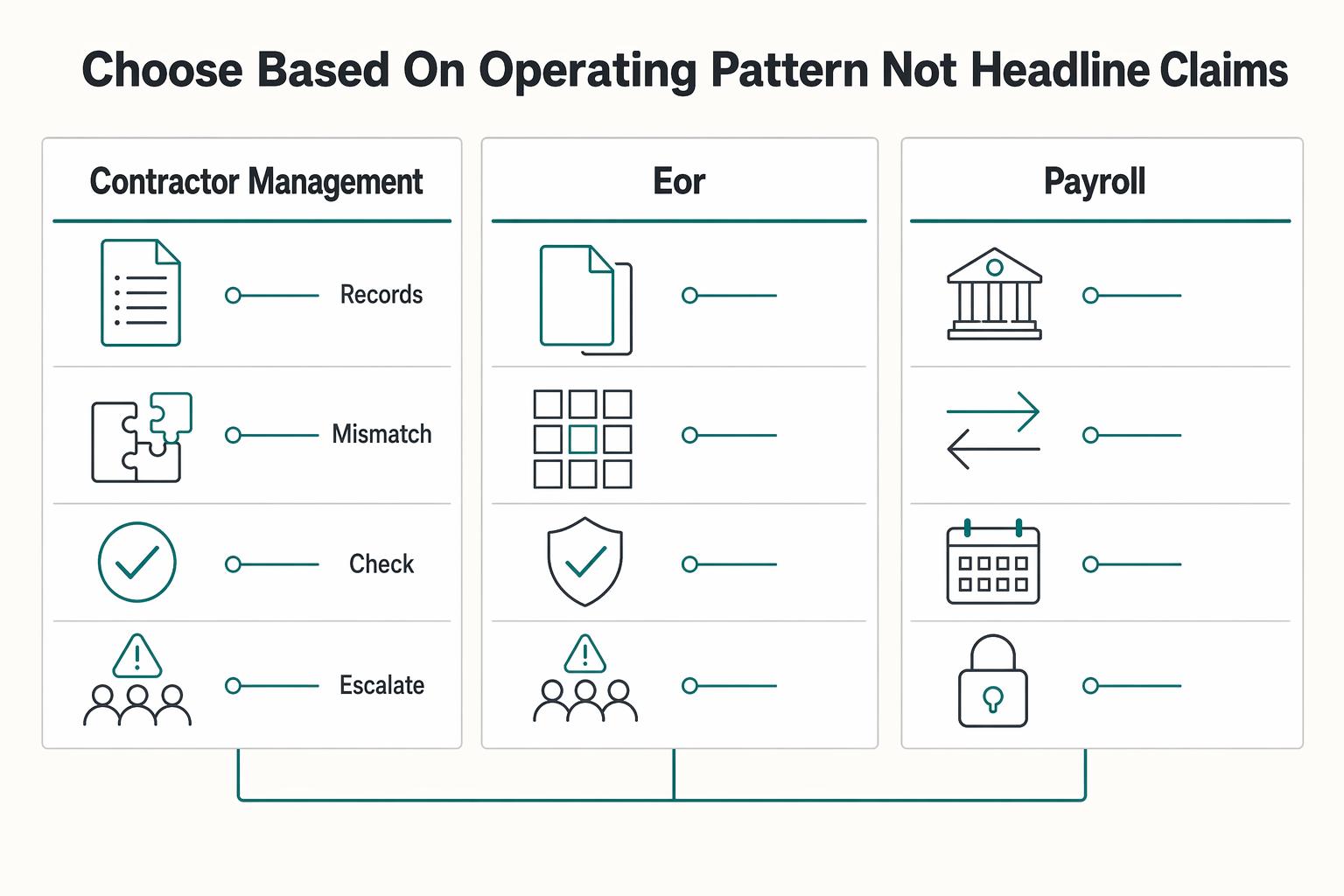
Choose based on operating pattern, not headline claims#
Choose by your real payout operation, not the lowest headline number. With the current evidence set, you cannot validate contractor pricing, payout-rail behavior, or fee ownership, so treat any hard comparison as unconfirmed until verified.
If your pack still shows pages like "Supervisor's Columns" and repeated "Loading", pause the pricing decision. That is UI-state content, not pricing or policy evidence.
Use shared buyer-side definitions so finance, procurement, and ops review the same thing:
- Operating pattern: your actual monthly flow (contractor count, payout frequency, setup changes, and exception volume).
- Payout rail mix: the payment routes you actually run, including local and non-local paths.
- Fee ownership: who absorbs added costs if they appear.
- Exception handling: how out-of-pattern payouts are handled and what written proof you can retain.
| Product lane | What you are comparing |
|---|---|
| Contractor management | Contractor-only pricing and payout setup |
| EOR | Employee-of-record service with a different unit and obligations |
| Payroll | Payroll-processing lane, not contractor management |
Use this approval sequence:
- Normalize scope first: contractor-only vs EOR vs payroll.
- Validate each platform's terms in live account views or current docs.
- Test mixed-rail and non-local payout behavior before sign-off.
- Keep unresolved items explicit (for example: Current SWIFT/intermediary fee range pending official verification).
The core risk is false confidence from incomplete captures, not just missing prices. If governance is part of your review, run it as a parallel workstream and pair this with GDPR for Freelancers: A Step-by-Step Compliance Checklist for EU Clients.
The takeaway for finance-minded buyers#
Approve a modeled total cost, not a headline subscription, for remote.com pricing for contractors.
Use two buckets in your approval memo and keep them separate. The first is the stable platform line item: the contractor plan shown in your in-account pricing card (for example, Contractor Management or Contractor Management Plus), recorded as Current contractor plan price pending official verification. The second is the setup-dependent payout cost: costs that depend on invoice currency, withdrawal currency, withdrawal method, and bank route. Remote states additional charges can apply in some configurations, and that complete fees depend on the contractor's withdrawal method.
Use this sign-off structure before legal or procurement approval:
| Field | What must be filled in |
|---|---|
| Confirmed terms | Exact plan name in the in-account pricing card, current in-account price, active discounts/add-ons, and written confirmation of credit or Reconciliation Credit handling for your payment setup |
| Unresolved unknowns | Any payout corridor with unclear fee ownership, any contractor without a confirmed withdrawal method, any guarantee assumption marked Current guarantee window pending official verification, and any route that may fall back to SWIFT or another exception path |
| Named owner per risk | Finance owns budget assumptions, procurement owns contract/discount treatment, and operations owns payout configuration plus corridor validation by contractor group |
Keep three non-negotiables in every approval file. First, confirm fee ownership by payout corridor in writing. Second, confirm credit treatment by payment setup in writing, since Remote says treatment varies and can be constrained by legal entity and currency. Third, require written evidence for any exception path before approval, especially where SWIFT may apply and correspondent-bank deductions can appear.
If you are working from incomplete information, you are approving assumptions, not a decision-ready cost model.
For payout-side risk context, read What is the 'Withdrawal Penalty' on EOR Platforms?. For platform tradeoff context, compare Deel vs. Remote: A Comparison from the Freelancer's Perspective.
Frequently Asked Questions
Does Remote charge fees for contractor payouts?
The pricing-page excerpts do not confirm contractor payout fees either way, so treat payout cost as setup-dependent rather than universally free. The contractor lane confirms scope (supports 200+ countries and jurisdictions), not payout-fee mechanics. Check the live contractor product details and validate one real payout corridor before you approve the current platform price.
Who pays FX conversion fees on Remote contractor payouts?
The pricing-page excerpts do not specify who bears FX conversion fees for contractor payouts. Ask support to confirm fee ownership for your exact invoice currency, payout currency, and bank route, and keep that reply with your approval file.
When do correspondent bank fees appear on a SWIFT payment?
The pricing-page excerpts do not state when correspondent or intermediary bank fees apply on SWIFT payouts. If your payout uses a non-local SWIFT route, treat fee exposure as unconfirmed until support verifies the corridor in writing. Validate your payout corridor assumptions and note Current SWIFT/intermediary fee range pending official verification before procurement signs off.
Is Remote contractor pricing flat or variable in practice?
Contractor coverage is visible, but contractor pricing and payout-fee details are not fully specified. Do not treat a headline figure as your full monthly cost until you confirm current in-account contractor pricing and your expected payout paths.
How do I verify pricing plans, discounts, and credits before signing?
Trust the live account and written confirmations, not screenshots or old comparison posts. Remote’s pricing page shows different product lanes and a monthly versus annual display, including a stated annual savings note (save 14%). You still need current in-account evidence for plan details and a written answer on how credits are treated in your billing setup. Confirm the current plan view in account and request written support confirmation on discounts or credits before legal review.
What is the difference between contractor pricing and EOR pricing on Remote?
They are different products with different billing units, so you should not compare them as if they were one cost line. Employer of Record and Payroll are separate pricing lanes shown per employee per month on the pricing page, while contractor pricing should be verified in the contractor lane before you compare totals. Keep contractor pricing pending official verification and review EOR or payroll only if your scope actually requires those services.
Try a related tool
Researched and edited by the Gruv editorial team. Gruv builds cross-border billing, payouts, and finance-operations software for global businesses.
Sources
- acquisition.gov/far/part-32trusted
- ecfr.gov/current/title-15/subtitle-B/chapter-VII/subc...trusted
- fac.gov/assets/compliance/2024-Compliance-Supplement...trusted
- federalregister.gov/documents/2024/01/10/2024-00067/employee-or-...trusted
- gsa.gov/buy-through-us/products-and-services/profess...trusted
- oig.dot.gov/sites/default/files/2023-12/GAO-09-3SP_GAO_C...trusted
Educational content only. Not legal, tax, or financial advice.
Related Posts

GDPR Compliance Checklist for Freelancers Working With EU Clients
Start by separating the decisions you are actually making. For a workable **GDPR setup**, run three distinct tracks and record each one in writing before the first invoice goes out: VAT treatment, GDPR scope and role, and daily privacy operations.
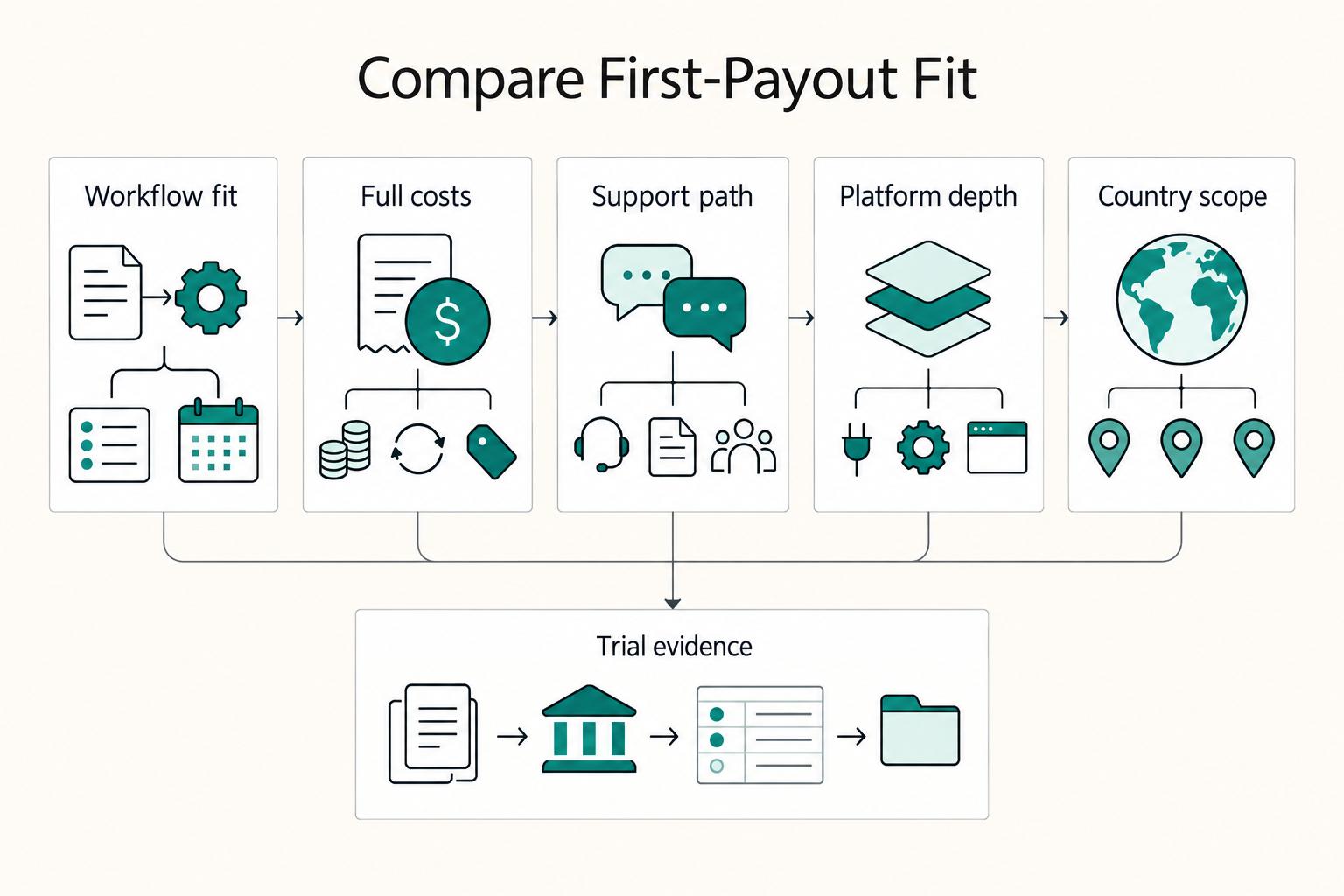
Deel vs Remote for Freelancers Who Need a Clear First-Payout Decision
Choose the platform that makes your first payout cycle predictable and your contracts easier to defend. This is an operating decision, not a brand contest.

What Is the Withdrawal Penalty on EOR Platforms?
For buyers, the practical question is simple: what was approved, what arrived, and how long it took. Treat that end-to-end payout result as the real cost signal, then keep enough records to reconcile it later.