
Quick Answer
Deel does not charge contractors a monthly subscription, but withdrawal, conversion, and receiving-bank costs can reduce net pay. The client pays for contractor management. Before accepting the setup, check the available withdrawal quote and arrival estimate, invoice approval process, and the tax records you must maintain.
A platform like Deel mostly solves the client's admin and compliance problem. To understand what it really costs you, look at the client's side first. Once you see what they are buying, it becomes easier to see what the platform does for you, and what it does not.
What your client is actually buying with global hiring software#
For the companies that hire you, Deel usually shows up in one of two forms. You need to know which one applies, because that difference shapes both your experience and the platform's limits.
| Aspect | Contractor Management | Employer of Record (EOR) |
|---|---|---|
| Starting price | Starts at $49 per contractor, per month | Starts at $599 per EOR employee, per month |
| Primary use case | Onboard, manage, and pay an international contractor base | Hire a full-time employee in a country where the company does not have a legal entity |
| Worker setup | Independent contractor setup | Full-time employee setup |
| Deel's role | Automates tax-form collection, bulk payments, and centralized contracts | Acts as the legal employer and takes on payroll, benefits, and local labor law compliance |
| How the article positions it for an independent contractor | You are engaged under the simpler contractor setup | You are not in an EOR relationship |
The first is the Contractor Management plan, which starts at $49 per contractor, per month. This is the client's entry point for onboarding, managing, and paying an international contractor base with less admin. For that fee, they get tools that reduce their workload:
- Simplified Onboarding: Deel collects tax documentation, such as W-9 for a U.S. person or the appropriate W-8 form for a foreign payee. Individual and entity tax classifications matter; country alone does not select the form.
- Automated Payments: The platform gives the client one dashboard to approve invoices and send payments in bulk, which cuts admin work.
- Centralized Contracts: Agreements are created and stored in one place, which gives their legal team a single record to work from.
That is very different from Deel's Employer of Record (EOR) service, which starts at $599 per month. EOR is for companies that want to hire a full-time employee in a country where they do not have a legal entity. In that setup, Deel is the legal employer and takes on payroll, benefits, and local labor law compliance.
As an independent contractor, you are not in an EOR relationship. You are engaged under the simpler contractor setup. That distinction preserves your autonomy, but it also sets the boundary of what the platform is responsible for. The payment flow is straightforward: your client funds its account, approves your invoice, and Deel notifies you that the money is available in your balance.
That notification is not the finish line. It starts the part that matters most to your bottom line: getting those funds into your actual account.
Treat a Client's Preferred Payment Setup as an Operating Decision#
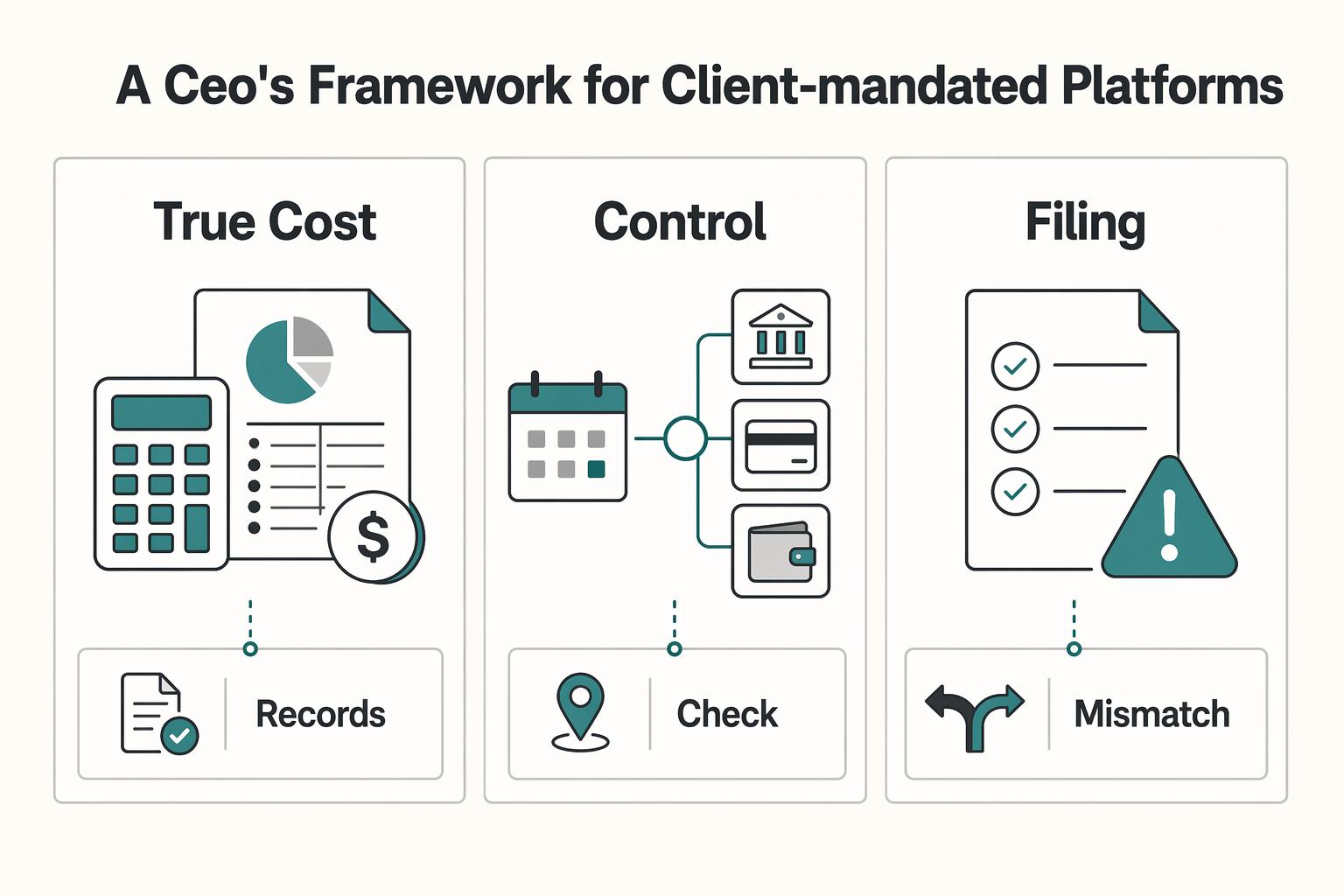
Before you accept a client's preferred payment setup, treat it as an operating decision for your business, not an admin footnote. This is a contractor-side decision framework, not a feature review, because the value the client buys and the risk you carry are not the same.
Check three things before accepting the setup: the net amount after withdrawal, FX, and receiving-bank fees; who controls invoice approval and access to funds; and which tax and recordkeeping duties remain yours. Deel’s help page also lists a possible Contract Platform Fee of up to USD $5 for an active contract with no recorded payments for two consecutive months. Because the page discusses client contract charges without clearly allocating that fee to the contractor, confirm who pays it instead of adding it automatically to your withdrawal cost.
A simple checkpoint before you say yes is to ask which payout method and payout currency the client expects you to use, then confirm that method is actually available in your jurisdiction. If you skip that step, the common failure mode is finding out too late that your preferred route is unavailable, more expensive than expected, or exposed to extra bank deductions.
| Lens | What to check | Why it matters to your business | What to do next |
|---|---|---|---|
| True cost | Withdrawal method fees, FX handling, possible extra bank charges | Small deductions compound into lower effective revenue | Model your net payout before signing |
| Autonomy and control | Who controls payout timing, withdrawal method, and currency options | Cash flow and payment flexibility affect how you operate | Confirm your actual payout choices in your country |
| Compliance exposure | Which documents protect the client versus which filings remain yours | Platform compliance can create false comfort | Keep your own tax and reporting checklist |
That's the lens for the rest of this review. Parts 1 through 3 go deeper into cost, control, and compliance so you can decide where to accept the platform and where to actively manage around it.
If you want a deeper dive, read GDPR for Freelancers: A Step-by-Step Compliance Checklist for EU Clients. If you're weighing the costs in your own setup, browse Gruv tools.
Part 1: Withdrawal, FX, and Bank Costs#
Your decision problem is practical: what your client pays is not automatically what you receive. Your true cost is the gap between invoice amount and settled amount after conversion, payout charges, and any post-transfer deductions.
The difference between invoice value and cash received is your withdrawal cost, not necessarily a penalty. Break it into three buckets so you can check each deduction before accepting a payout setup.
Where your payout gets reduced#
The first bucket is the FX spread. It may appear as a weaker exchange rate rather than a visible fee line. Verify it by capturing the platform quote at payout time and comparing it to an independent reference rate at the same timestamp. In your model, leave the spread as route-specific until you have a current quote, rather than pasting stale numbers.
| Cost bucket | How it appears | How to verify |
|---|---|---|
| FX spread | May appear as a weaker exchange rate rather than a visible fee line | Capture the platform quote at payout time and compare it to an independent reference rate at the same timestamp |
| Platform withdrawal fee | Shown in the exact payout flow for your country, destination account, method, and payout currency | Save the preview details and track the current method fee in your sheet |
| Downstream bank or intermediary fees | Can appear after the platform marks funds as sent | Check your receiving bank's current international incoming transfer tariff and any corridor-specific intermediary disclosure |
The second bucket is the platform withdrawal fee. Verify it in the exact payout flow you will use: your country, destination account, method, and payout currency. Save the preview details, including the displayed method fee and capture date, in your sheet.
The third bucket is downstream bank or intermediary fees. These can appear after the platform marks funds as sent. Verify with your receiving bank's current international incoming transfer tariff and any corridor-specific intermediary disclosure they can provide.
Compare the final withdrawal preview with your receiving account’s tariff. Same-currency receipt avoids that conversion leg only when the destination can accept the currency; cross-border and bank fees can still apply.
| Payout route category | Cost visibility | Receiving-side check | Settlement predictability | Best-use scenario |
|---|---|---|---|---|
| Same-currency payout to a local/domestic bank account | Clear only if full fee preview is shown before confirmation | Check local receiving fees and confirm the account accepts the withdrawal currency | Confirm with one live payout in your corridor | You can invoice and withdraw in the same currency |
| Cross-border bank payout with conversion | Mixed; conversion and bank deductions may be split across systems | Check intermediary deductions and the bank’s conversion policy | Confirm with repeated test payouts, not assumptions | You need bank settlement across currencies |
| Wallet, card, or digital-asset off-ramp (if available to you) | Method-dependent; preview clarity varies by route | Check off-ramp conversion, receiving fees, and availability for your account | Route-specific; verify with test payout data | You prioritize access or speed and can monitor variance closely |
Model fee erosion before you sign#
Use a simple model before you agree to the setup.
| Model row | Fields to track |
|---|---|
| Invoice row | client, invoice currency, invoice amount, destination country, destination currency, payout route |
| FX row | quoted rate, reference rate, calculated spread, timestamp, screenshot link |
| Platform fee row | selected method, previewed fee, capture date |
| Bank fee row | receiving fee, intermediary-fee note, bank tariff source |
| Net payout row | expected landed amount, actual landed amount, variance, variance reason |
Net receipt in the destination currency = invoice amount × the actual destination-currency-per-invoice-currency conversion rate − all fees expressed in the destination currency. If a fee is charged before conversion, subtract it from the invoice-currency amount first. To compare FX cost, calculate the same transfer using a timestamp-matched reference rate; do not add fees in different currencies.
Use the table above as the template for your sheet.
A payout setup is workable when method availability is confirmed for your jurisdiction, fees are visible before confirmation, bank-side charges are documented, and a test payout lands within your expected range.
You should renegotiate the payout method or rail when you are forced into avoidable conversion, offered methods do not match what was promised, or actual landed amounts keep drifting because deductions remain unpredictable.
You might also find this useful: What is the 'Withdrawal Penalty' on EOR Platforms?.
Part 2: The Hidden Impact on Your Autonomy#
After you model fee erosion, model control erosion too. The core risk is operational: your business starts running on client-set platform rules, which can change how you invoice, when cash lands, and who must act when payment stalls.
Review three kinds of control: invoice processing, access to funds, and negotiating room with the client. For example, if approval can delay payment and the available withdrawal route is expensive, agree on approval dates or compensation for the cost before signing.
Process control#
Your first question is simple: who controls invoice creation and edits in practice? Deel says it automatically creates contractor invoices each payment cycle, and clients can add or edit those invoices until the issue date. After issue, changes move to a replacement flow (credit note plus new invoice), which adds friction.
Deel provides a standard invoice template, and contractors can upload their own invoices. But client-side Contractor Invoice Policies still control payment-cycle metadata, contract status tracking, and invoice due-date handling. For Pay As You Go contracts, you cannot invoice or be paid until hours are submitted for approval, and some client setups remove the submit-work section entirely. For adjustment items, the approver is defined by the client's approval policy.
Before you sign, run a live workflow check with the client: can you upload your invoice, submit work directly, and see exactly who approves adjustments?
Timing control#
Your payment timeline is only partly in your control. Deel's Payment Tracker gives process visibility, but estimated arrival still depends on whether the client pays on time. Deel also states one-off invoices can take 3-5 business days for Deel to receive payment after client payment, and the tracker does not provide ETA details for off-cycle or milestone payments.
That creates two timing risks: delay risk and diagnosis risk. You may know payment is late without full visibility into where it is stuck. Clarify up front which cadence applies to your contract, whether approvals gate invoicing, and what the escalation path is if your balance is missing by the agreed date. Deel's own guidance in that case is to contact the client.
| Control area | Client-mandated platform flow | Your own operating flow |
|---|---|---|
| Invoice customization | Standard template first; custom upload may be allowed inside platform rules | Your format, fields, and documentation standards |
| Approval dependency | Client policy can gate hours, milestones, and adjustment items | You issue invoices directly under your agreed terms |
| Payout timing visibility | Timeline view exists, but timing depends on client payment and excludes some ETA cases | You control due dates, reminders, and follow-up cadence |
| Dispute handling ownership | Follow-up often routes through client/platform process | You own escalation path directly with client stakeholders |
Negotiation leverage#
When the client controls approval paths and timing gates, your leverage can drop from operator to participant. In scope changes or payment disputes, that often means slower resolution on your side.
Use this mitigation checklist:
- Confirm invoice format, approver role, approval deadlines, and missing-payment escalation in writing.
- Keep shadow records for delivered work, approved hours, milestones, and invoice versions.
- If workflow friction is persistent, ask whether you and the client can manage payments off-platform, since Deel states this is possible in some cases.
This tradeoff is manageable only if you also own the responsibilities the platform does not absorb. That is the compliance risk in Part 3.
We covered this in detail in How to Use Deel to Pay a Global Team of Contractors for a US-Based Agency.
Part 3: Tax and Recordkeeping Responsibilities#
The key risk is simple: a client-mandated platform can organize your payments, but it does not take over your personal compliance obligations.
Independent contractor status does not remove your tax responsibilities. Reconcile taxable income, expenses, and any withholding shown on statements against your own records. Withholding and reporting duties depend on the payer, jurisdiction, and tax classification; platform document collection does not itself establish that a return has been filed or all tax has been paid.
| Compliance task | Who owns it | What platform can provide | Your required action |
|---|---|---|---|
| Income and self-employment tax tracking | You (with accountant support, if needed) | Payout history, bookkeeping tools, expense tracking | Reconcile platform records against your own books and confirm what is taxable where you file |
| Estimated tax planning | You | Transaction history and exports | For U.S. individuals, check expected tax owed after withholding and credits against the $1,000 threshold and the applicable estimated-tax safe-harbor rules |
| Tax residency monitoring | You | Partial activity records only | Keep your own day log and confirm the rule that applies to your travel pattern and filing position |
| Cross-border account and payment reporting | You (often with advisor review) | Records for activity visible in-platform | Aggregate all relevant accounts and confirm whether a filing trigger applies before the deadline |
| Audit-ready documentation | Shared, but you own the master file | Contracts, invoices, payout records, expense history | Store copies outside the platform and match them to bank statements and receipts |
The common failure is false completeness: clean platform data can make you think the hard part is done even when key obligations still sit outside that dashboard.
Treat this as ongoing operations:
- Reconcile payouts, bank receipts, invoices, and expenses every month.
- Maintain an external evidence pack (contracts, invoices, payout confirmations, receipts, statements, day log).
- For U.S. filers, the IRS requires a return when net self-employment earnings reach $400; other filing requirements can apply below that amount.
- Review your records with your accountant on a fixed cadence, not only at year-end.
Use client-mandated platforms deliberately, but do not outsource personal compliance ownership. Related: Deel vs. Remote: A Comparison from the Freelancer's Perspective.
The Final Verdict: A Tool to Be Managed, Not Just Accepted#
Use Deel when it clearly solves a real client requirement and your verified payout outcome is still acceptable to you. Negotiate alternatives or terms when payout costs are unclear, control over your payment path is too limited, or tax-document handling in the flow is weak.
The specific product matters. Deel's contractor management is positioned for compliant global contractor hiring and payment, including tax form guidance, document collection, and payments in 120+ currencies. Contractor of Record goes further by stating Deel acts as the legal contracting entity and is designed to reduce misclassification risk. That can be strong client-side value, but you still need your own compliance process outside the platform.
| Choice | Cost impact | Control | Compliance exposure | Best-fit scenario |
|---|---|---|---|---|
| Stay on platform | Variable; verify each payout route for fee and FX impact before confirming | Lower | Better when contract, payment, and tax-document collection are in one flow | Client requires an integrated contractor-management setup |
| Negotiate alternative rails | Often easier to compare; may reduce erosion depending on route | Higher | Can increase if the alternative only moves money and skips tax-document workflows | Client is flexible and you prioritize payout visibility and control |
| Adjust pricing or terms | Offsets platform impact instead of removing it | Medium | Similar platform exposure, but with better commercial protection | Client requires the platform and you still want the engagement |
Before you commit, run a quick checkpoint: verify the live payout details for your route, confirm what tax documents are handled in-flow, and keep your own contract and payout records. A common failure mode is accepting the default route and discovering later that transaction or FX effects reduced what you actually received.
Manage, monitor, and review: set terms up front, reconcile each payout, and review compliance obligations on a calendar. Verify any current rule or reporting threshold before relying on it.
For a step-by-step walkthrough, see A Deep Dive into Remote's Pricing and Fees for Contractors.
Frequently Asked Questions
What fees do you actually pay as a contractor on Deel?
Deel says contractors do not pay a monthly subscription. Withdrawal fees vary by method, and FX or receiving-bank charges can still apply. Its separate Contract Platform Fee provision concerns certain active contracts without payments for two consecutive months; confirm the billed party under your agreement rather than assuming it is a contractor withdrawal fee. For a reliable number, check the live withdrawal screen for each route and record the displayed fee in your payout tracker before you confirm.
Is Deel good for independent contractors?
It can be fine when a client requires it, but it is not automatically the right fit for every contractor. The fit is strongest when you accept a client-managed contract and centralized payouts. Depending on the setup, that can mean less direct control over payout timing and withdrawal methods. If independence and payment control matter more than client convenience, you may prefer to manage around it rather than choose it yourself. If your client mandates Deel, use it for contract and payout access, but keep your own books, invoice log, and records outside the platform.
Does Deel handle your taxes?
No. Deel's own US tax guidance says it is informational only and not tax advice, and its Tax Advice Marketplace gives independent contractors access to advisors. It does not state that Deel files taxes for you. You still own your income tax, self-employment or local equivalent, residency monitoring, and any reporting thresholds that apply in your case. If you were paid through Deel this year, export your payout history and review it with a licensed tax professional before you file anything.
How is Deel different from Wise for a contractor?
The more useful question is not which one wins. It is who controls how you get paid. Deel sits inside a client-managed contractor setup, while Wise positions its pricing around the live mid-market FX rate plus upfront fees and is primarily positioned as a payments tool. Decision point | Deel | Wise Control | Usually tied to the client's contract and payout setup | You manage the account details and how you use it Cost transparency | Withdrawal pricing depends on method, and outside-bank fees may still appear | Pricing is presented as mid-market FX plus upfront fees Payout flexibility | Multiple withdrawal methods exist, but not all are available in every jurisdiction | Useful when you want to receive and convert funds directly Support boundary | Contract and payout workflow inside the client's setup | Focused on moving money, not contractor-management workflows Better fit | Client needs contractor administration and centralized payouts | You want clearer FX visibility and more say over your payment path If your client needs a contractor platform, compare Deel with other management tools; if you mainly want cheaper, clearer payouts, compare Wise against your bank route instead.
How do you withdraw money from Deel?
Your account must be verified before you can withdraw. In the app, choose Withdraw, enter the amount, pick a method, and then check three things before you confirm: the displayed fee, the method minimum, and the Dynamic ETA. The common mistake is picking the first available option without noticing that method availability varies by jurisdiction and that provider-set limits or bank deductions can change what actually lands in your account. If this is your first payout on a new route or currency, do a small test withdrawal before moving a full month's earnings.
What should you use instead of Deel if you have a choice?
Pick based on the job you actually need done. If a client needs onboarding, contracts, and centralized international contractor payments, compare contractor-management options such as Deel or Remote. If you simply need to get paid under your own control, a payout tool such as Wise or your own bank setup may give you clearer fee visibility. The practical rule is simple: choose a management platform for client admin, and choose a payment tool for payment control. If you can choose your own setup, write down your top priority first, usually admin convenience or payout control, and let that decide the tool.
Try a related tool
Researched and edited by the Gruv editorial team. Gruv builds cross-border billing, payouts, and finance-operations software for global businesses.
Sources
Includes 3 external sources outside the trusted-domain allowlist.
Educational content only. Not legal, tax, or financial advice.
Related Posts

GDPR Compliance Checklist for Freelancers Working With EU Clients
Start by separating the decisions you are actually making. For a workable **GDPR setup**, run three distinct tracks and record each one in writing before the first invoice goes out: VAT treatment, GDPR scope and role, and daily privacy operations.
Deel vs Remote for Freelancers Who Need a Clear First-Payout Decision
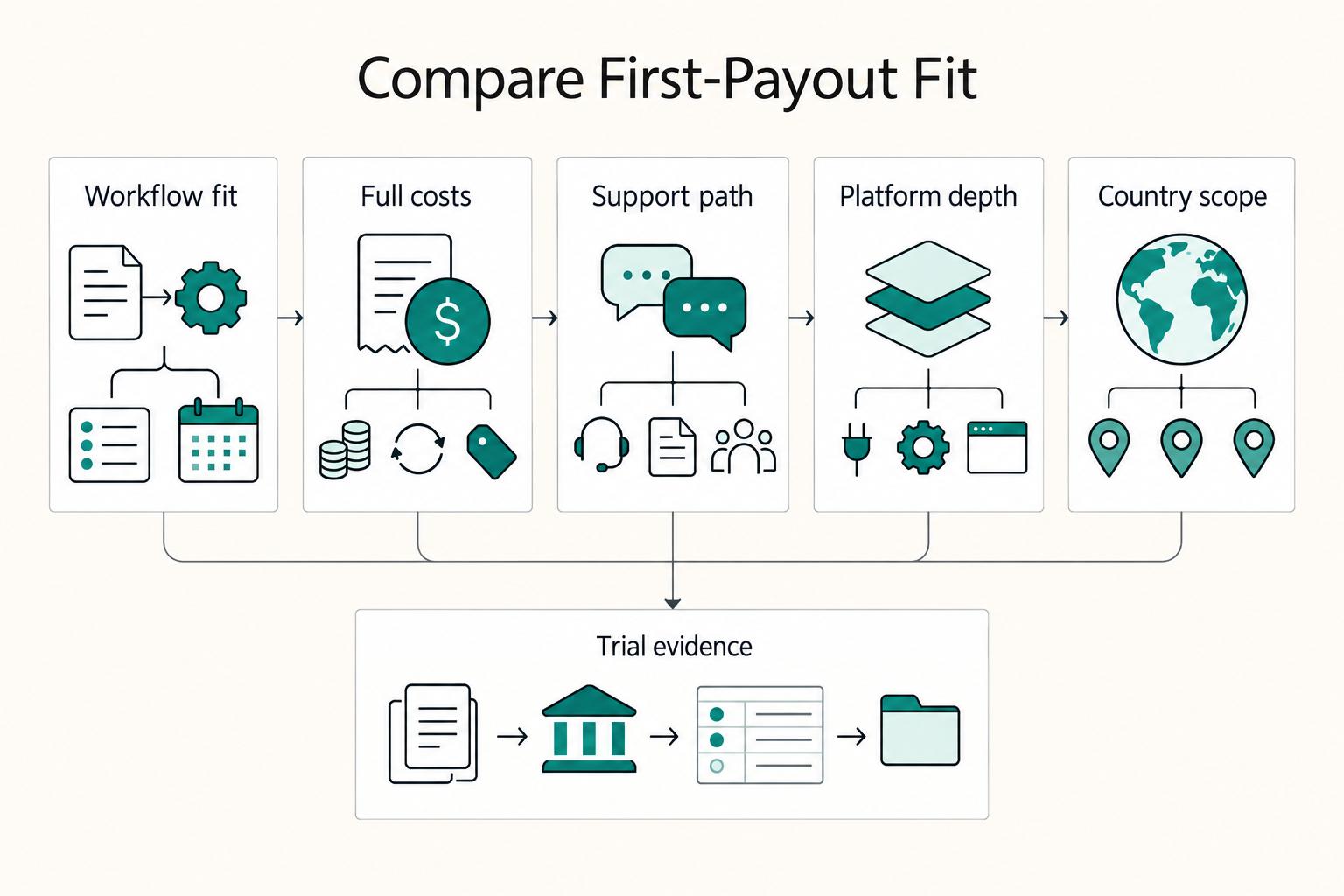
For a freelancer being paid through Deel or Remote, the key questions are contract terms, client funding, available payout methods, currency conversion and support when a payment stalls. The client often chooses the platform. If you are choosing a service to pay other contractors, compare the client-side plans separately.

What Is the Withdrawal Penalty on EOR Platforms?
For buyers, the practical question is simple: what was approved, what arrived, and how long it took. Treat that end-to-end payout result as the real cost signal, then keep enough records to reconcile it later.